Error message following October 2017 update
To fix this error, you need to set a registry key. See "BCM Errors after October 2017 Outlook Update" for more information.
Business Contact Manager for Outlook could not complete your last action or action. Please try again.
Outlook Customer Manager
Outlook Customer Manager is the Office 365 replacement for BCM and requires an Office 365 Business Premium license.
Outlook MVP Eric Legault has a free BCM to Outlook Customer Manager (OCM) migration tool at BCM Migration Assistant. This utility automates migration of business contacts, accounts, and opportunities to OCM.
Key features of the BCM Migration tool:
- Migrate default business contacts, accounts, and opportunity fields to the equivalent OCM fields
- Map additional BCM fields to OCM custom fields
- Automatically migrate BCM opportunity stages and create new OCM deal stages
- Migrate Business Notes and Phone Log history to OCM activity timeline
Eric also offers paid migration services, if you want his help migrating BCM to Outlook Customer Manager.
Goodbye BCM
Office 365 subscribers who are using BCM will need to block automatic upgrades as BCM 2013 is the last BCM version. It will not work with Outlook 2016. See Outlook 2016: No BCM for more information and the steps needed to turn off automatic upgrades.
Outlook BCM 2013
The updated BCM for Outlook 2010 and Outlook 2013 (released November 2014) is now available. It is currently available to all Outlook 2010 and 2013 users.
BCM on Windows 10
BCM Errors after Upgrading to Windows 10
Office 2010 and BCM
In Office 2010, Business Contact Manager is included only in the volume-license suite and as part of a TechNet or MSDN subscription. BCM 2010 is not included in any of the retail suites but is available for download.
Note: You should use the updated BCM for Outlook 2010 and Outlook 2013.
Are you having problems with BCM? See:
- Accessing User-Defined Fields in a BCM2010 SQL Database
- Add BCM Account name to Contact's Company field
- BCM error converting data type int to smallint
- BCM Errors after October 2017 Outlook Update
- BCM Errors after Upgrading to Windows 10
- BCM Installer Tries to Install a Different Program
- BCM Toolbar Not Visible in Outlook
- Business Contact Manager (BCM) Utilities
- Business Contact Manager compatibility pack
- Can you use BCM Contacts in Outlook Web Access?
- Configuring BCM to share a SQL server database
- Customer Relationship Management (CRM) Utilities
- Enable BCM Contacts as Outlook Address Book
- Error: BCM can't be installed
- How to configure firewalls to share BCM
- Install BCM on computers that don't meet the requirements
- New: Outlook Customer Manager
- Office 2010 and BCM (Business Contact Manager)
- Outlook 2013 Notes have toolbars
- Outlook 2016: No BCM
- Outlook BCM 2013
- Restore a BCM Database
- Restoring BCM Database After Upgrading Windows
- Sharing Customer Manager Records
- Update for Business Contact Manager (BCM 2013)
- Using a BCM shared database with Windows 8 Microsoft Account logon
- Using BCM v1 with Exchange Server
- Using BCM with a Windows 7 Homegroup
BCM Toolbar Not Visible in Outlook
If the BCM toolbar is not visible in Outlook, first check to verify that Outlook doesn't have it disabled. If using Outlook 2013, to heck if Business Contact Manager is enabled: Go to File,Options, Addins Select the Disabled Items in the menu on the bottom right hand corner the click Go If Business Contact Manager
BCM Errors after October 2017 Outlook Update
Fix for BCM error message: Business Contact Manager for Outlook could not complete your last action or action. Please try again.

BCM Errors after Upgrading to Windows 10
Several users are having issues with Outlook and Business Contact Manager (BCM) after upgrading to Windows 10.
Sharing Customer Manager Records
How to share contacts, companies and deals with the other members of your Customer Manager team members using Office 365 Outlook 2016 Customer Manager.

New: Outlook Customer Manager
A replacement for Outlook Business Contact Manager (BCM) is rolling out to Office 365 Business Premium subscribers, beginning with those who have First Release enabled. Customer Manager uses Office 365 services to search your mailbox and store related information.
Outlook 2016: No BCM
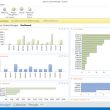
Bad news for Business Contact Manager users: BCM will not be updated to work with Outlook 2016.