Check our Outlook Calendar: Frequently Asked Questions page for common questions and their answers.
Limitations
Outlook does not include any kind of year planner beyond what you see in the normal Day/Week/Month view. If you need to print out the full calendar for a year and don't like the way Outlook does it, you might try one of the Word templates listed at Calendar Tools.
You cannot print detailed notes from your appointments on a Day/Week/Month view printout. The Include: Notes area setting in the Page Setup dialog for different print styles refers to a blank area on the printout for handwritten notes. If you want a detailed printout of your appointments with notes, use the Calendar Details print style.
Meetings | Views | Holidays | Sharing | Printing | Other | Add-ins and Utilities | More Information
Meetings
- Autoaccept a Meeting Request using Rules
- Bug: Attendee is now the Meeting Organizer
- Changing the End Date on Recurring Appointments
- Copy: is prefixed to the Subject of a Meeting
- Create a List of Meeting Attendees and Responses
- Don't Send Updates for Outlook Meeting Requests (Bug)
- Forwarding Appointments Bug (Fixed)
- How to print a list of recurring dates using VBA
- How to Show Appointments as "Free" by Default
- How to View the Organizers of Your Appointments
- Keep Canceled Meetings on Outlook's Calendar
- Meeting Organizer's Name Appears in the Subject line
- Meeting Reminders are Set for the Recipient
- Move meetings without losing the ability to "Send Update"
- Resource has declined your meeting because it is recurring
- Scheduling Resources for Outlook
- The Attachment Size Exceeds the Allowable Limit Error
- To Avoid Sending an Extra Meeting Request
- To Cc or Bcc a Meeting Request
- Using Outlook's Autopick Next and Suggested Times
Views
- Display Weekday Names in a Weekly Calendar View
- How to sort the Outlook Calendar by Birthday
- Outlook Request: Calendar Details View
- Show only Birthdays for a Particular Month
- Show Separate Business and Personal Calendars
- The calendar shows the wrong day at the beginning or end of the month
- To Add Color Coding to Calendar items
- To change the hourly interval in Outlook
- Use a macro to open the Calendar to appointment date
Holidays
- Add Holidays to Outlook's Calendar
- Add Holidays to Second Outlook Calendar
- Calendar Date and Other Data Tools
- How to Remove Holidays From the Default Calendar
- Microsoft Outlook Holiday Issues
- Outlook .HOL Error: US Election Day
- Remove the Holiday or Birthday calendar from Outlook.com or Office365
Sharing
- Maintaining a Group Calendar without Exchange Server
- Outlook error: 'error preparing to send sharing message'
- Publishing Calendars on the Internet or an Intranet
- Sharing Outlook Calendar and Contacts
More:
To get quick access to team calendars
Dates
Printing
- Calendar Printing Assistant Shows Duplicate Entries
- Calendar Printing Tools
- Calendars aren’t printing in color
- How to Email Calendar Printing Assistant Calendars
- How to Print a 15 Minute Calendar
- Modify Calendar Printing Assistant Templates
- Monthly Calendar Printing Bug when Starting the Week on Monday
- More CPAO Template Modifications
- Print Monthly or Work Week Calendars
- Printing Calendars with Color Categories
- Printing the Monthly Calendar with Line Wrap & End Times
- Using and Editing the My Outlook Calendar Template
More:
Mail a copy of today's appointments -- VBA code sample
Other Issues
- Clear the Location drop-down list on appointments
- How to Remove or Change the Reminder on All Day Events
- Make "no reminder" the default for new appointments
- Meeting Requests and Appointments are Off by One Hour
- Outlook's Appointments and Time Zones
- Wrong Calendar Name is Displayed in the Title and Taskbar
More:
To automatically set a reminder for birthdays for new contacts (Outlookcode.com VBA code sample)
Add-ins and Utilities
- Calendar Reminder Tools
- Calendar and Meeting Tools
- Calendar Date and Other Data Tools
- Calendar Printing Tools
- Calendar Tools for Outlook
- Combine and Print Multiple Outlook Calendars
- Duplicate Appointment Remover Tools
- Maintaining a Group Calendar without Exchange Server
- Other Group Calendar Tools for Outlook
- Publishing Calendars on the Internet or an Intranet
- Schedule Management Tools for Outlook Calendar
- Time and Billing Tools

Adding Appointments to Other User's Calendar
A user had a question about adding appointments to calendars: How can I add an appointment to my employees' Outlook calendar without needing to send a meeting request? I want it to be on the employee's calendar as a required event. I can view the calendars, but I don't have permission to add appointments. Is
Disable the ability to create tentative appointments
Note: this will stop Outlook and Exchange from creating tentative appointments on the calendar automatically, however, the tentative appointment will be created at the time you select the meeting request in your Inbox. AddNewRequestsTentatively only works with resource mailboxes in newer versions / builds of Exchange server, including Office 365's Exchange Online. Exchange Server 2013
Booking meetings more than 180 days out
The question of the week this week involved resource calendars not allowing meeting requests more than 180 days out. How can I set up the resource calendar to accept my meeting request scheduled more than 180 days out? Currently, the meeting request fails with this message: Your meeting request was declined. This resource can only
Force users to respond to meeting requests?
We're often asked if there is a way to force people to send an accept message, when the appointment goes into their calendar.

Copy: is prefixed to the Subject of a Meeting
Beginning with Outlook 2007 SP2, "Copy:" is added to the subject line of a meeting that is copied from a shared calendar. Workarounds are available.

Outlook Calendar: Frequently Asked Questions
The answers to frequently asked questions about Outlook's Calendar module.

Keep Canceled Meetings on Outlook's Calendar
There are two methods you can use to keep canceled meetings on your calendar: keep the cancellation notice or use a Run a Script rule to create an appointment using using the meeting details. Code sample included.

How to sort the Outlook Calendar by Birthday
How to create a custom field in Outlook's Calendar that allows you to sort birthdays by month and day.
Processing Meeting Requests
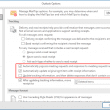
A user wanted to accept meetings and leave a copy of the meeting invitation in his Inbox.