See Let Outlook decide the best message format to use to learn how to configure Outlook Contacts to choose the best message format for Internet addresses. In most cases, you should "Let Outlook decide".
We have instructions for adding contact photos to a large number of Contacts at Batch Import Photos into Outlook Contacts
Do you want to add more than 3 email addresses to an Outlook contact? See Contacts with more than three email addresses for one solution.
To add more contacts folders to Outlook and enable the new folders as an address book, see Create a new Contact folder and enable it as an Outlook Address Book.
Printing & Merging
- Add Attachments and Set Email Fields During a Mail Merge
- Create a Letter to a Contact using VBA
- Create Envelopes and Letters using Word
- How to Print an Exchange Distribution List
- How to Print Outlook Address Books
- Inserting Addresses into Word Documents
- Printing Labels or Envelopes for Contacts
- Start a Word letter from an Outlook contact
Distribution Lists
- Add a Category to Contacts in a Contact Group
- Create a Contact Group from a List of Addresses
- Create a Contact Group to quickly send email to a multiple people
- Create Individual Contacts from a Distribution List
- Creating Distribution Lists from Address Lists
- Find the Distribution Lists a Contact Belongs to
- How to Forward a Contact Group
- Import a distribution list from the PAB
- Outlook and Exchange Distribution Lists
- Send Messages Using Additional Office 365 Exchange Addresses
- Use VBA to Create a List of Exchange GAL Members
- Using Categories for Dynamic Distribution Lists
- Using Large Distribution Lists
Address Book Display
- Contacts are missing when you click the To button
- Converting from a MAPI Address Book to Contacts
- Copy GAL Addresses to Outlook and Make the GAL Portable
- Display Public Folder and Other Contacts in the Address Book
- Enable BCM Contacts as Outlook Address Book
- Enabling the Contacts Folder as an Address Book
- Hiding Global Address Book Fields
- Imported Addresses are Missing from Address Book
- Make the Address Book show only e-mail addresses, not fax numbers
- Outlook Address Book Search Order
- Outlook Contacts, Address Book, and Autocomplete
- Outlook's Address Book is Empty
- Quick Steps Address Book Bug (Fixed)
- Understanding Outlook's Auto-Complete Cache (*.NK2)
- Use VBA to Create a List of Exchange GAL Members
Name Resolution
Outlook use both auto-complete and auto-resolution to aid you in addresses messages.
See:
- Can you control which addresses are listed in autocomplete?
- Contact Groups aren’t listed in autocomplete
- Could not complete the operation. One or more parameter values are not valid.
- How to delete Autocomplete’s Other Suggestions
- Moving Outlook's auto-complete address list to a new account
- Suggested Contacts and Auto-Complete Lists
- The (good) Autocomplete list is back
- Understanding Outlook's Auto-Complete Cache (*.NK2)
- Using Automatic name checking or Autocomplete
To remove a name from the auto-complete list in Outlook 2002 and up, press Delete when the name pops up as you type into the To box. To clean up the entire list, see: How to reset the nickname and the automatic completion caches in Outlook (MSKB)
Contact Form
More from Outlookcode.com:
Microsoft Outlook Contact Forms -- quirks and limitations
Creating a "New Fax to Contact" Action
Changing the Display Order for Outlook Contacts
Required Categories Contact Form
Import/Export
- Automatically Add Addresses to Outlook Contacts
- Converting Addresses to or from Outlook
- Converting from a MAPI Address Book to Contacts
- Import vCards into Outlook
- Transfer Outlook Contacts to Kindle Fire and Android tablets
Sharing
Other
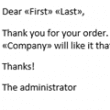
Mail Merge to Email using an Outlook Macro
Use an Outlook macro and a Word document containing merge fields to mail merge to email. You can even add an attachment to the message before sending.
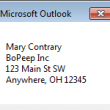
Copy a Contact's Mailing Address
Use a macro to copy a Contact's name and mailing address block to use in another program.
Why is there a leading dash in the business card view?
Outlook users are a great source of interesting and unusual problems to solve, like the problem in this question: "Some of my contacts have a dash (-) showing in the business card title bar. Because it is leading, it is alphabetizing the contacts using the dash first. That messes everything up. There is no dash
Categories vs. Multiple Contacts Folders
You'll find some debate over which method is better for managing different types of contacts -- have more than one Contacts folder (Personal, Business, etc.) or use one Contacts folder with categories. There are pluses and minuses for both. Personally, I use a combination. I have a couple of separate Contacts folders that use special
Select a name in a Word document then create a Contact
How to use a macro to capture a name and email address in a Word document (such as a resume) and create a contact for that person.
Contacts are not available in Windows Fax & Scan
Problem: When you use Windows 64-bit Fax and Scan application, Outlook's contacts are not available. Cause: This is because Outlook is a 32-bit application and runs on a WOW layer on the 64-bit operating system. Outlook 2010 or 2013 64-bit does not include Fax transport as its only supported in 32-bit Outlook. We do not
See the full Contact details in Outlook 2013
A user asked about Outlook's contact cards. He's trying to open the full contact form and his method is too convoluted. Using Outlook 2013, is there a way to see all my contact's info easily without doing a registry change? In Outlook 2007, I could double click on the Email address and open the full contact. In Outlook
Sharing Distribution Lists
How to share distribution list (contact groups) with other users, or why it's problematic to share them.
Change the Company Name on Many Contacts
Question: When a company's name changes, is there an easy way to change all of the contacts for that company? Yes! Create a group by view and drag contacts between groups. This technique works with any Outlook item for many Outlook fields, including Private and Company but won't work on fields that aren't editable. You