The articles listed below contain VBA code samples. Additional code samples are listed at Developer Samples
Delete duplicate messages using a macro
Use a macro to clean up duplicates messages in an Outlook folder.
Receive a Reminder When a Message Doesn't Arrive?
Use a run a script rule to set reminders to alert you if a new message (such as routine server alerts) doesn't arrive within a specified time.

Use VBA to Scan to Email
How to scan a document or image and attach or embed into an Outlook email using VBA and the Windows Image Acquisition Library (WIA).

Shortcuts to open Outlook folders
Outlook doesn't support creating shortcuts to folder on the Quick Access toolbar (QAT) or ribbon, but you can put macro on the QAT or ribbon that opens a folder.

List snoozed reminders and snooze-times
How to use a VBA macro to list all snoozed times for Appointments, Flagged messages, and Tasks.
Delete folders using a VBA Macro or PowerShell
Use an Outlook macro or PowerShell script to bulk delete folders from Outlook.

How to Remove or Change the Reminder on All Day Events
While you can't change Outlook's 18 hour default reminder, you can use VBA to remove the reminder or change it to a different time. While the tweaks here work specifically with reminders on All Day events, this code can be tweaked to do almost anything when a new appointment or event is saved.

Export (Save) Outlook Contact Photos
Use VBA to export a photo from a contact and save it to the hard drive. Use a second macro to add the photo to a new contact.
Use PowerShell or VBA to get Outlook folder creation date
Use PowerShell or VBA to get the creation date of a folder in Outlook desktop software.
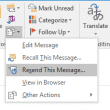
Macro to Resend Sent Message
How to use a macro to resend a sent message in Outlook 2013 and Outlook 2016.
Use PowerShell to Bulk Change Contacts
How to use PowerShell to bulk change Outlook Contact fields, including the File As and Email display name fields.
Add a keyword to the subject of all messages sent
Use VBA to check the subject of every message you send (new or replies) for a specific keyword. If the word is not found, add it to the subject.

Working with All Items in a Folder or Selected Items
These samples contains the basic code for working with all items in a selected folder or selected items in a folder.

Using VBScript in Outlook Development
The code behind Microsoft Outlook forms is always written with the Microsoft Visual Basic Scripting Engine, better known as VBScript, a small portable language, which is also used in web pages and standalone scripts. VBScript does not support the built-in Outlook constants, such as olFolderContact. Only the constants built into VBScript, such as vbYes, are supported. For
Use VBA to Create a List of Exchange GAL Members
Use an Outlook macro to create a list of users in the Exchange Global Address List or a list of member of a distribution group in the GAL.