The articles listed below contain VBA code samples. Additional code samples are listed at Developer Samples
Imported Addresses are Missing from Address Book
Addresses imported into the Contacts folder may not appear in the Address Book display.
Use PowerShell to Delete Attachments
How to use PowerShell to delete large attachments from all messages in a classic Outlook folder or all attachments from selected messages in any classic Outlook folder.

Count Selected Messages
How to get a count of the messages you have selected in Outlook, using a macro or copy and paste.
Remove Attachments From Messages
How to remove attachments from selected messages in Microsoft Outlook's Sent Items folder using VBA.
Get Outlook's Internet Headers using VBA or PowerShell
Use this code sample and function to display the Internet header of selected message in a new message form.

Create a New Message using an HTML File or Stationery
How to create a new message using Stationery or any HTML file using the standard commands of More Stationery or Insert > Insert as Text command. You can also use a macro or PowerShell to create the message.
Change the Mailing Address Using PowerShell
How to use PowerShell to bulk change the Mailing Address selector (or move the address to a different address field) in classic Outlook's contacts.

Show the Home Address on a Contact Form by Default
How to customize Outlook Contacts so that the Home address is the default address for all new contacts.
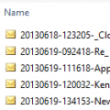
Save Selected Email Message as .msg File
A VBA code sample to save one or more selected messages to your My Documents folder as .msg files, using the received date and time as the filename.

Categorize @Mentioned Messages
A user wanted to know how to create a rule to add a category to messages he was @mentioned on. I'll show you how to use a run a script rule or an ItemAdd macro to set a category on a message you were @mentioned on in classic Outlook.

Hide Extra Folders in Outlook.com
How to hide extra Contact folders, left from previously linking contact sources with Outlook.com accounts, so they aren't visible in Outlook or on smartphones.
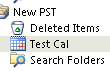
Working with VBA and non-default Outlook Folders
How to use VBA to 'do something' in Outlook's non-default folders.

Send an Email When You Open Outlook
Today's entry in the Fun with Programming series is a macro to send a message every day when you first open Outlook.
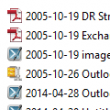
Save and Rename Outlook Email Attachments
Use a macro to save attachments on Outlook email messages to a folder on your hard drive and add the files last modified date to the filename.