Outlook isn't all that complicated to use once you figure it, but trying to explain how to do something in Outlook often takes longer than just showing how to do it.
Many of these tutorials area also available on Slipstickcom's YouTube channel.

How to Remove RSS Support from Outlook
Not everyone likes RSS support in Outlook, fortunately you can disable the RSS capability using group policy or a registry tweak. You can also remove the RSS folders from your profile. I'll show you how.
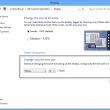
Change the size of the font in Outlook's Folder list
How to make the font used in Outlook 2013's folder list a little larger.
Importing Lists from Excel to Outlook
Many users have contact data stored in Excel workbooks or created calendar events in Excel to take advantage of formulas and fill features when creating a large number of events. It's very easy to move the data to Outlook. As with any database, you will need to name the columns your data is in. You
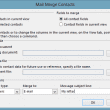
Using Mail Merge in Outlook
When you start a mail merge in Outlook, you can use categories or Outlook's filters to select the contacts you want to include in the merge.
How to Change the Name of a Field in the View
You can change the name of any field in the view. Right click on the field name you wish to change. Select Format Columns from menu (in the Two line view, its on the Customize dialog) Select the field whose display name you wish to change Type the new name in the Label field.
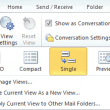
Duplicate Remover Tools
While you can remove duplicates by hand, the tools on this page make it easier when there are a lot of duplicates. Although some of these tools work only with the mail folders, many will work on any Outlook folder that contains duplicates. Featured Products ReliefJet EssentialsUse ReliefJet Essentials for Microsoft Outlook to remove, mark
Configuring "Send As" Permissions on Exchange Server
There are two ways to give other users the ability to "send as" another user, mailbox, or public folder address when you use Microsoft Exchange server. The first is using the Delegates feature on the Tools, Options menu. This is configurable in Microsoft Outlook by any user and adds "on behalf of" to the From
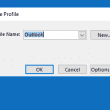
Shared Mailboxes and the Default 'Send From' Account
How to configure Outlook so you can easily send email from a shared Exchange mailbox.
Understanding Outlook's AutoComplete Cache
Outlook stores recently used email addresses in a nickname or autocomplete cache. This article helps you understand how the nickname autocomplete cache works and explains remove names from this autocomplete list and where to find the list.
Adjusting Outlook's Zoom Setting in Email
New to Outlook 365: Remember Zoom Preferences. If the fonts in incoming messages are tiny (or huge), you may have a Zoom problems. I'll show you how to fix it. If you don't have an Office 365 subscription, I have a macro that will set the zoom level for you.
Outlook Categories and Color Categories
This page sums up a few things I've learned about Outlook categories and color categories, with suggestions for using and managing categories along with troubleshooting tips. Outlook has always supported categories; through Outlook 2003, they were simply Categories. Outlook 2007 introduced Color Categories by merging the short-lived colored flags with categories.
To Secure Your Personal Folders (*.pst) File
How to password-protect Microsoft Outlook data files so other people can't read your email or view your calendar or contacts.