Change Appointment Reminders using PowerShell
Use PowerShell to change the reminder times on Birthdays and other appointments in classic Outlook software.
Use Public Folders In new Outlook
How to access Exchange Public Folders in new Outlook for Windows (and Outlook on the web.)
Use Classic Outlook, not New Outlook
Microsoft has two "new" Outlooks, one for MacOS and one for Windows. How to switch back to classic Outlook and disable the Try new Outlook switch.
Leave Messages Unread
How to change Outlook's Mark as Read settings and manually mark as read or unread.
Links in Outlook open in a sidebar in Edge
How to disable the Microsoft Edge option that opens email is a side panel when you click a link in an email in classic Outlook.

"This account is not supported in Outlook" error message
New Outlook error: This account is not supported in Outlook due to the license provided by your work or school. Try to login with another account or go to Outlook on the web.
Adding iCloud+ Custom domains to Outlook
How to add an iCloud+ custom domain address to classic Outlook for Windows,

How to Block Foreign Spam
How to block junk email that is in a foreign language, in Outlook for windows or Outlook on the web (and new Outlook for Windows.)

Automatically Open New Outlook when Windows boots
How to enable New Outlook for Windows to run automatically when you boot the computer.

Save Messages in New Outlook
Learn how to save messages to the hard drive when using new Outlook app or Outlook on the web.

Block External Content in New Outlook
How to block external content in the new Outlook that replaces Windows Mail app.

Create a rule to delete spam with no sender address
How to create a rule that deletes messages with no address in the From field, in either Outlook on the we or Outlook desktop software.
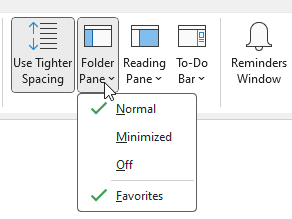
Open Outlook Folders using PowerShell or VBScript
How to use PowerShell or VBScript scripts to open an Outlook for Windows folder.
Cannot add Recipients in To, CC, BCC fields on MacOS
Users are reporting problems adding addresses to email in Outlook on the web.