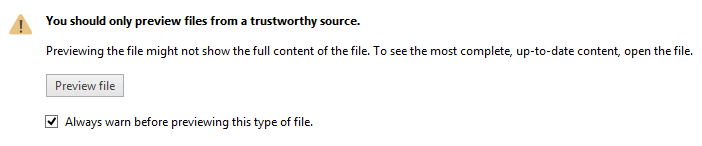
When you attempt to "live" preview an attachment in Outlook 2007, Outlook 2010, or Outlook 2013's reading pane and uncheck the box to "Always warn before previewing", this type of file if you want to restore this setting, you'll need to edit the registry.
Subkeys for each file type is stored in
HKEY_CURRENT_USER\Software\Microsoft\Office\Previewers
Delete the key for the file types you don't want to automatically preview and press F5 to refresh the registry key before returning to Outlook.
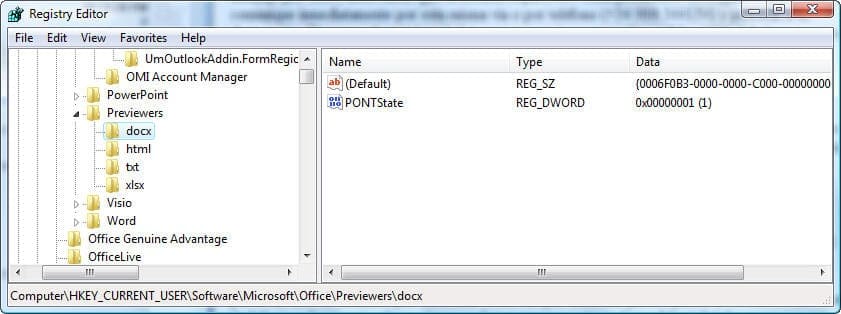
Note: images (png, jpg, gif) preview automatically. You can disable the image preview handler but cannot set it to Always Ask.
More Information
You can disable live preview for any or all attachment types in the Trust Center. Go to Tools, Trust Center, Attachment Handling section in Outlook 2007, or File, Options, Trust Center, Attachment Handling in Outlook 2010/2013.

Thanks, I was able to fix this with your help.
I am trying to achieve the sale ting with Outlook 2010 and trying to reactivate, as i clicked on always allow by mistake. No matter what research i do i am Unsuccessful . Any help would be greatly appreciated... Thanks in advance.