The information contained in this section will help you solve problems with Outlook. While some of the problems are related to bugs (which may or may not get fixed), many of the problems are just how Outlook was designed, which doesn't necessarily fit with how we want to use it. Other problems are caused by the interaction between Outlook and other programs or Outlook add-ins.
Error: Serious error while processing CREATE (MsLimitNumFolders (74/76))
You receive this error message when you attempt to create new folders in your IMAP mailbox: "Cannot create the folder. The server responded: Serious error while processing CREATE (MsLimitNumFolders (74/76))"
Outlook is Slow Rendering HTML Messages
It's amazing how often a seemingly innocent action by the user and an update for a program can affect negatively another. In this case, it's MS07-027: Cumulative Security Update for Internet Explorer, released in mid-May. After installing that update, Outlook 2003 responds very slowly when typing HTML messages. The problem in this case is two-fold.
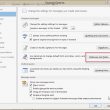
The Signature or Stationery and Fonts button doesn't work
Outlook's Signature or Stationery and Fonts button are grayed out or won't do anything when you click it or causes Outlook to freeze or crash.
Recurring Meeting Bug
This "bug" affects only Dell laptops with Media Direct. This is really not an Outlook bug - it's caused by an add-in Dell ships with their laptops that support Media Direct. Dell laptops include an application called Media Direct and this application installs an Outlook add-in called "Outlook Setup Addin" (outlookaddin.dll) which causes problems for
Problem: Outlook won't open forwarded messages (*.MSG)
If you receive an error when opening forwarded messages (sent as attachments), uninstall Google Desktop Search or revert to the previously installed version. Reports indicate that opening Settings, Options and removing the check from the "Use Documents and Spreadsheets to open certain file types" box corrects the problem without uninstalling GDS. If it doesn't help,
Problem: Opening a vCard Crashes Outlook
Those handy little vCard files that make it easy to send phone and address information to all your friends and associates can also deliver an unpleasant payload. Outlook does not abide by the Internet RFC (Request for Comment) that defines the vCard format. If you open a vCard that contains too much information in one
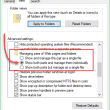
Save a Message as HTML and Delete the (Annoying) Folder
When you save a message as HTML in Outlook 2007 (and 2010), Outlook creates a matching (and annoying) folder containing XML and THMX files. I'll show you how to prevent Outlook from doing this.
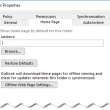
Folder Home Pages aren't available
A security update released on October 11 2017 removes the Home Page tab from Outlook 2010, 2013, and 2016. This change was made for security reasons but because so many applications use Folder Home Pages, a registry key will re-enable it.
Disappearing All Day Events
There is a bug in the Calendar's Day and Week view that causes all day events to disappear when the window size changes. Adjusting either Outlook's window size (either the height or width) or the calendar size (by adjusting the width of the navigation pane or to-do bar) will show or hide the all day

The operating system is not presently configured to run this application
A number of users are reporting an error message when they try to open any Office applications: "The operating system is not presently configured to run this application"
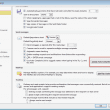
Could not complete the operation. One or more parameter values are not valid.
When you receive this error message: Could not complete the operation. One or more parameter values are not valid. while addressing or sending an email message, meeting request, or assigning a task, or saving a new contact, your auto-complete list may be corrupt. Some users also report getting this error when they save an appointment
The Add-in Cannot Be Found
If you receive an error message when Outlook loads that states an add-in cannot be found, it's because the profile is looking for an add-in you don't have installed. The error you receive may be one of these or something similar: "<path\filename> is not a valid Office add-in" "The add-in could not be installed or