The articles in this section cover the configuration and maintenance of Outlook. This includes what files Outlook uses and where they are stored: Outlook Backup and Dual-Boot File locations
See Converting Addresses and Converting Messages and Calendars explain how to convert to and from other mail, calendar, and address books and include lists of programs that will make the conversions go smoothly.
Setup | Import/Export | Housekeeping | Moving to a New Computer | Offline Folders | Operating System Issues | More Information
Setup
Import/Export
- Converting Addresses and Messages
- Converting Addresses to or from Outlook
- Converting Outlook Messages and Calendars
- How to move email from another program to Outlook
Housekeeping
- Command Line Switches for Outlook 2013 & 2016
- Command Line Switches Tutorial
- Command Lines Switches for Outlook 2010
- Housekeeping and Message Management: Outlook
- How to locate, read, or recover items archived using AutoArchive
- How to repair a damaged Outlook Personal Folders file (pst)
- How to use Outlook's Command Line Switches
- To Secure Your Personal Folders (*.pst) File
Moving to a New Computer
- Deliver All POP3 Accounts to One Outlook Inbox
- How to move IMAP data files
- Move an Outlook Personal Folders .pst File
- Moving Outlook to a New Computer
- Outlook Backup and Dual-Boot File locations
Offline Folders
Operating System Issues
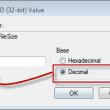
Changing the default *.pst and *.ost data file sizes
The default size of a Unicode pst or ost is 20 GB (Microsoft Outlook 2003 or 2007) and 50 GB for Outlook 2010. While this size is fine for most people, it can be raised (or lowered) by editing the registry.
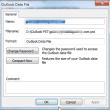
How to Compact the Data File When you Close Outlook
It’s possible to configure Outlook to automatically compact the pst every time you close Outlook. This can be useful to users who deal with sensitive data and need to ensure messages can’t be recovered as compacting removes all traces of deleted messages, making it impossible to recover the mail.

Converting Outlook Messages and Calendars
How to convert Email and Calendar to or from Microsoft Outlook format.
Outlook Backup and Dual-Boot File Locations
What you need to backup in Outlook 2010 to preserve your data and settings, and where to find the files.
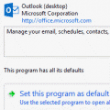
To Change the Default E-mail Program in Windows
A common issue with Microsoft Internet Explorer is controlling the e-mail program used when you click on a mail address on a web page. If it's not set correctly, you may get a "Can't create object" error message. In Windows 7, 8 and 10, you can set the default mail client in the Control Panel's
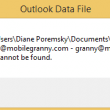
Move an Outlook Personal Folders .pst File
How to move an Outlook data file (pst) to a new folder and configure Outlook to use it.
Recover messages deleted from .pst files
A last ditch effort to recover Outlook items permanently deleted from a pst file. It works only on PSTs but there is no guarantee it will work.
Close Outlook using PowerShell
For best results, you should close Outlook before running backup software. $isOutlookOpen = Get-Process outlook* if($isOutlookOpen = $null){ # Outlook is already closed run code here: } else { $isOutlookOpen = Get-Process outlook* # while loop makes sure all outlook windows are closed before moving on to other code: while($isOutlookOpen -ne $null){ Get-Process outlook* |
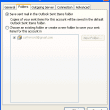
Configure and Use IMAP Accounts
Configure and use IMAP accounts with Microsoft Outlook. Learn how to configure Sent items and Deleted items folders in Outlook 2007 and up.

Outlook Backup and Dual-Boot File locations
For Microsoft Outlook 2007, see Microsoft Outlook 2007 Backup and Dual Boot File Locations. Includes file locations in Vista and Windows 7. Outlook 2010's backup information is at Microsoft Outlook 2010 Backup and Dual Boot File Locations. Where is my Microsoft Outlook data stored, people often ask? Your Outlook folders are either in a mailbox