A user had a question about Outlook 2007 and 2010's ability to fire reminders from every calendar:
How do I turn off the reminders from other calendars? I keep several calendar folders in my profile and only want reminders from my default calendar. At the end of each year, I copy the old pst file to use as an archive. Now I'm getting two reminders for everything. What setting in Outlook will referee which calendars actually get to generate a reminder?
You can disable reminders in pst files that are not used as a delivery location for an email account, but it will affect all reminders and flags, not just calendar reminders.
To change the setting, right click on the top level of the data file and choose Properties.

Just above the folder size button is an option to "Display reminders and tasks form this folder in the To-Do Bar". With the enabled, you'll get reminders, with it disabled you will not get reminders and tasks or flagged messages will not show up in the To-do Bar.
If you don't see the option, the data file is used as a delivery location for an account or is the default data file.
If you need to keep the flagged items in the To-Do Bar and only want to get rid of the calendar reminders, create custom list view that groups by reminders then drag from the RemindBeforeHand:Yes group to the RemindBeforeHand:No group to turn them all off. We have a tutorial at Change reminders on several items.
Reminders in secondary calendar
We also receive complaints about this feature from users who were in the habit of creating appointments in a secondary calendar folder to use as a journal. These appointments are always in the past and now they always trigger a reminder unless the user remembers to deselect the reminder.
Unfortunately, unless the calendar is in a different data file, you won't be able to disable the reminders using options within Outlook. You can use VBA to not set reminders on events in specific folders. See How to Remove or Change the Reminder on All Day Events for the basic code.
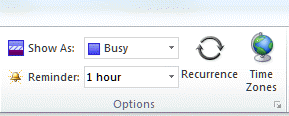 You'll need to set the reminder to none when you create the appointments. You can also turn off default reminders in File, Options, Calendar and set them only on appointments that need to have reminders.

Donna Sherman says
Hi Diane, I need to receive reminder alerts from my boss's calendar to remind me of his meetings. I have full read/write privileges to his calendar. How can I get alerts from the meetings on his calendar? Thanks
Diane Poremsky says
The only way to get his reminders is either add the appointments to your calendar or open his mailbox in your profile as an account (using his user/password).
Jesper says
Hej Diane,
i Hope you can help me with my problem.
Me and 4 off my colleges are trying to make a Calander that we all can se and get Reminders from. we have Outlook 2010.
can you help with how to make it and set it up ?
Regards Jesper
Smithc870 says
Thank you, I have just been searching for info about this subject for a long time and yours is the greatest I've found out so far.
Ben says
Here's the situation I'm trying to address: I have multiple Exchange Online (Office 365) accounts, set as individual accounts in the Account settings, in one Outlook profile. I only want to receive calendar reminders for my default account's calendar(s). The other users of the additional accounts still need to receive their own reminders, so I can't disable the reminders at the server level.
I've tried both Outlook 2013 and Outlook 2016, and when I right-click on the data file, I don't see the checkbox shown in the screenshot above.
Any ideas? Thanks!
Diane Poremsky says
That setting for reminders is only for pst files that do not have mail delivered to them. You can't turn off reminders for accounts in your profile without dismissing the reminders. sorry.
Josh says
I am on Outlook 2013. I have multiple calendars. For one calendar, I would like to get notifications. For the rest, I do not want notifications ( I would get hourly popups on my personal phone). Can I separate reminders per calendar? Thanks
Diane Poremsky says
No, you can't. You can manually change the reminders as you create the appointments or use a macro to remove or set reminders on a specific calendar.
Asger says
Hello, Im having a problem much like the ones above. In our office we have systemhosting for hosting our outlook on the internet. Som of our CEO's is having a problem where they receive reminders from all the other users calender, and only wishes to receive reminders from his own calender - He is using Outlook 2016, and the problem only occured when he switched to outlook version 2016. Any help would be greatly appriciated
Diane Poremsky says
How are the other user's calendars added to his profile - as shared folders or as shared mailboxes? If you aren't sure, look in the calendar module pane - if it's a mailbox, it will say 'Calendar - mailbox name', if its a shared calendar, it will be just the mailbox name.
Martin says
Hi Diane,
We have an Office 365 Shared Mailbox (It was previously on-prem but has been migrated to Office 365).
Is there a way that Shared Calendar notifications can be turned off for specific Users who have access to the Shared Mailbox yet there is no need for them to be notified each time a new entry is added to the calendar?
My understanding is notifications can be turned off but they affects all calendars the User has access to i.e Personal, Shared etc
Diane Poremsky says
Notifications are all or nothing - they can be turned off, but all of their calendars are affected, or all users are affected - it's not set per user. Sorry.
Justin says
Hi Diane,
I have a bit of issue with a customer of the company i'm working in. I uploaded a .pst file onto his mailbox in outlook, I realised the calendar on that .pst may be corrupted as the customer advised that it's showing someone else's calendar.
I removed the .pst from his mailbox in MS Outlook. today when he opens his MS outlook he receives reminders that aren't in his calendar but from that someone else still. the calendar might be stuck somewhere on the server as I've already remove it from MS outlook.
I did have a go at outlook /cleanreminders but it brought back the reminders
does outlook /resetfolders ... might work? or is there another way
Diane Poremsky says
Did you import the pst into his calendar or open the pst in the profile? did you check and make sure the appointments weren't on his calendar?
Justin says
yeap I open the .pst file. the .pst showed multiple calendars on his MS Outlook after that. so I removed the multiple calendars but left his original one. The reminders appeared but the events of the reminders are not shown on his original calendar.
Diane Poremsky says
Cleanreminders switch should clear them then, if removing the pst file did not. What happens if you double click on a reminder when it comes up?
Justin says
it showed the event window and a time but when we go to our original calendar, it's not there. maybe the reminder is stuck on the server side of things.
Diane Poremsky says
So the appointment form opened? If so, click on the open appointment and press Ctrl+Shift+F on the keyboard to open the Advanced find dialog then click on Browse - the folder the appointment is in will be checked and you can see where it is in the folder list.
Heather says
When I look at my calendar, I don't see that Display Reminders check box on it.
Diane Poremsky says
That is visible only when you are looking at the properties sheet for a pst that does not have mail delivered to it. Right click on the top level folder, choose Properties.
Stephen Dunn says
Hi Diane,
"If you don't see the option, the data file is used as a delivery location for an account or is the default data file."
Does this mean that there is no way to get a reminder from this account's calendar?
Thanks
Steve.
Diane Poremsky says
You should be getting reminders automatically if 1) it's the default data file or 2) email is being delivered to that data file. Otherwise, you can enable reminders using that checkbox.
Sheila Cracknell says
All of a sudden, Outlook Calendar 2013 will not allow me to set reminders for my appointments. When I try to set the reminder, a box appears telling me
"The reminder....., will not appear because it is in a folder that doesn't support reminders". I have not changed the way that I input the event or appointment.
So frustrating, I have tried to find the spot where I can reset the reminder , but I cannot find it. Hope you can help, Diane!
Thanks,
Sheila
Diane Poremsky says
Are you using iCloud? Saving to the icloud's calendar is the most common cause of this message.
Sarah says
Hi Diane, Im not sure if you get notifications when a new comment is left but I have a question about this, are you able to answer?
Diane Poremsky says
I do get notifications - I'm just way, way behind in answering the comments - I don't approve them until i answer them, otherwise I'll never find them again.
Diane Poremsky says
Did you post the question already? I can't find it if you did. :)
David says
Thanks Diane. You're the best.
David says
I have an Outlook 2013 problem, where one pst data file has "Display reminders and tasks from this folder in the To-Do Bar" un-checked, but the pop up reminder box still includes calendar items from the calendar in that pst. Those calendar items do not appear in the "to-do" bar. All entries in that Outlook calendar are created by the gSyncit plugin which syncs with a google calendar.
Diane Poremsky says
The to-do bar only shows appointments from the default calendar. Try restarting outlook using the /cleanreminders switch.
Close Outlook. Press Windows key + R to open the Run command and type or paste
outlook.exe /cleanreminders
then press enter.
Tara says
When I click on the file it just opens a blank page in WORD? I am using WORD & Outlook 2010.
Thanks,
Tara
Diane Poremsky says
This is with calendar printing template? Look at the macro security settings in File, Options, Trust center - you need security set to low. See https://www.slipstick.com/outlook/calendar/idiots-guide-amending-outlook-calendar-template/ for some other tips.
Marty Day says
I have a particular issue by where one of our users has access to a shared mailbox. When she creates an entry into the calendar of that shared mailbox, her name sometimes appears in brackets at the end of the meeting subject line, instead of the mailbox name.
If her name appears in brackets, she actually receives any meeting updates directly to her own personal inbox, and not the shared mailbox inbox...does that make sense?
I havent been able to find any threads on this particular issue, so I thought I would post here.
Her colleague has the same rights, and doesn't have any issues at all.
I work on a 1st level service desk, so if technical information is required, it might take me some time to find out, but any insight would be great!
Diane Poremsky says
It sounds like she's inviting the shared mailbox, not creating it as the shared mailbox. Does she create the entries the same way every time?