A number of Outlook.com users have a problem with Outlook.com contacts losing the company name. They create a contact with a company name in the company field and Outlook.com removes it. We now know the cause and the solution.

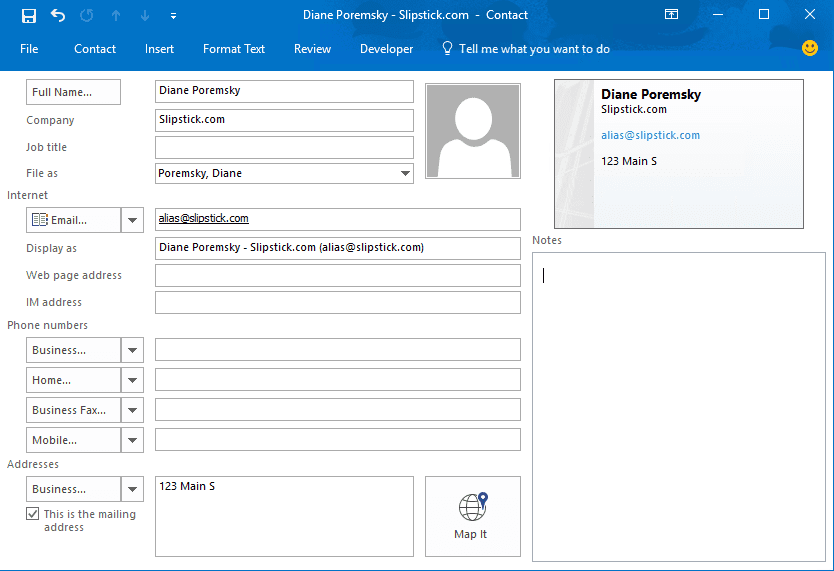
The cause: leaving the address field blank.
The solution: type something, even just a space, in the address field when creating contacts.

Martin Jarmuz says
i have had all the contacts under one company name merged into my name. Is there a way to reverse this?
Dan says
How do I get the contact information to display properly when no name is included - only a company name is included. When displayed in Outlook.com the phone number shows but nothing else.
Diane Poremsky says
Which phone are you using? (Android, iPhone, or windows)
Diane Poremsky says
BTW, we (the Outlook MVPs) are discussing this with and other issues with the product team.
Jerry Fallon says
I still have this problem even with the address field filled in.
Diane Poremsky says
I thought they fixed this problem, so it could be something else...
Do you sync with a smartphone?
Any other symptoms/weirdness with the contacts besides the company name missing?
Susan Cupples says
Same problem here. Always fill the address field in.