• Outlook User
  • New Outlook app
  • Outlook.com
  • Outlook Mac
  • Outlook & iCloud
  • Developer
  • Microsoft 365 Admin
    • Common Problems
    • Microsoft 365
    • Outlook BCM
    • Utilities & Addins

Video Tutorials

Slipstick Systems

Outlook isn't all that complicated to use once you figure it, but trying to explain how to do something in Outlook often takes longer than just showing how to do it.

Many of these tutorials area also available on Slipstickcom's YouTube channel.

Video Tutorials was last modified: October 10th, 2023 by Slipstick Systems

Outlook Sync Client Error

We're seeing users complain about an error message popping up on the computer screen. The error dialog doesn't contain much information about the program or the cause. Others receive an error "OutlookSyncClient has stopped working." The Outlook Sync Client is used to sync iPhone, iPod and iTouch with Outlook. This error generally means there is  
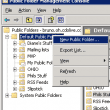
mail enable a public folder

Mail-Enable Exchange Public Folders

The Exchange administrator can mail-enable public folders. You can then use it as a generic company address (such as sales@ or help@ ). If you mail-enable a Calendar folder, users can include it in meeting requests. Once the folder is mail-enabled, you can use the Folder Assistant to forward messages it receives to other addresses.  

Where is Outlook's PST file?

Beginning with Outlook 2010, Outlook uses the Outlook files folder under Documents as the default data file folder for .PST files used by POP3 accounts and pst files you create. When you do an 'in-place upgrade' any existing PST files will remain in their location, which is likely to be in the %localappdata% folder path.  

Using Ctrl+F in New Messages

Some users are confused by the behavior of Ctrl+F in Outlook - sometimes it brings up the Find dialog, other times it Forwards the message. When the cursor is in the message body, Ctrl+F brings up the Find and Replace dialog. When the cursor is in the message header area, it opens a new copy  

Copy Formatted Address Blocks to Use in Other Programs

How to create a custom view in Microsoft Outlook that shows just the name and mailing address in the view so that you can copy it for use in other programs.

How to Print an Exchange Distribution List

Many thanks to Hernan Cibello for this tip, originally used with Exchange 5.5 and Outlook 2000. With later versions of Exchange and Outlook, you need to add the distribution list to a new message form and expand it. Copy and paste the names into an Outlook distribution list form and Outlook will resolve the names  

New Contact Group created from a list of addresses

Creating Distribution Lists from Address Lists

Create an Outlook Contact Group from a list of addresses using only copy and paste. No need to create contacts for the addresses first.

Using Categories for Dynamic Distribution Lists

To use categories to create a dynamic distribution list, switch to the By Category view then select the category group you want to send a message to. You can use this method to create meeting requests, appointments, task, or journal items. In Outlook 2007 and 2010 (and above), to create an appointment linked to a  

outlook icon

Outlook Version Numbers

Since the first release of Outlook, Microsoft has released many updates and service packs. The following list is an overview of the available public Microsoft Outlook builds. The list also includes useful information which should help an administrator to determine the build info of a client that is logged-on to the Microsoft Exchange Server. With  
The Notes field in an Outlook contact has updated contact information

Help! My Contacts are being updated!

When Contacts are automatically updated, you need to check the settings in Outlook's Social Connector, which has automatic updates of contacts enabled by default. A change log is added to notes so you know what was changed.
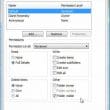
View Shared Subfolders in an Exchange Mailbox

In Outlook 2013 and 2016, use the Sharing invitation to share calendar folders. Right click on the folder you want to share and choose Share > Share [folder name] to open the sharing invitation. Select the addresses from the Global Address List (GAL) and select the desired permissions. You can also share from Outlook on  

Outlook and iCloud Sync Issues

We're seeing a lot of questions (and complaints) about the new iCloud service and Outlook integration. Users with POP3 accounts seem to have the most problems (but could benefit the most from iCloud), since the data is local to one computer and iCloud moves it all into the cloud. We have solutions to many of the problems.

« Previous Page
Next Page »
Visit Slipstick Forums.

Latest EMO: Vol. 31 Issue 7

Support Services

Do you need help setting up Outlook, moving your email to a new computer, migrating or configuring Office 365, or just need some one-on-one assistance?

Subscribe to Exchange Messaging Outlook


Our Sponsors

CompanionLink
ReliefJet
  • Popular
  • Latest
  • Week Month All
  • Use Classic Outlook, not New Outlook
  • How to Remove the Primary Account from Outlook
  • Reset the New Outlook Profile
  • Disable "Always ask before opening" Dialog
  • This operation has been cancelled due to restrictions
  • How to Hide or Delete Outlook's Default Folders
  • Change Outlook's Programmatic Access Options
  • Use Public Folders In new Outlook
  • Removing Suggested Accounts in New Outlook
  • How to Delete Stuck Read Receipts
  • Sync Issues and Errors with Gmail and Yahoo accounts
  • Error Opening iCloud Appointments in Classic Outlook
  • Opt out of Microsoft 365 Companion Apps
  • Mail Templates in Outlook for Windows (and Web)
  • Urban legend: Microsoft Deletes Old Outlook.com Messages
  • Buttons in the New Message Notifications
  • Move Deleted Items to Another Folder Automatically
  • Open Outlook Templates using PowerShell
  • Count and List Folders in Classic Outlook
  • Google Workspace and Outlook with POP Mail
Ajax spinner

Recent Bugs List

Microsoft keeps a running list of issues affecting recently released updates at Fixes or workarounds for recent issues in classic Outlook (Windows).

For new Outlook for Windows:Fixes or workarounds for recent issues in new Outlook for Windows .

Outlook for Mac Recent issues: Fixes or workarounds for recent issues in Outlook for Mac

Outlook.com Recent issues: Fixes or workarounds for recent issues on Outlook.com

Office Update History

Update history for supported Office versions is at Update history for Office

Outlook Suggestions and Feedback

Outlook Feedback covers Outlook as an email client, including Outlook Android, iOS, Mac, and Windows clients, as well as the browser extension (PWA) and Outlook on the web.

Outlook (new) Feedback. Use this for feedback and suggestions for Outlook (new).

Use Outlook.com Feedback for suggestions or feedback about Outlook.com accounts.

Other Microsoft 365 applications and services

New Outlook Articles

Sync Issues and Errors with Gmail and Yahoo accounts

Error Opening iCloud Appointments in Classic Outlook

Opt out of Microsoft 365 Companion Apps

Mail Templates in Outlook for Windows (and Web)

Urban legend: Microsoft Deletes Old Outlook.com Messages

Buttons in the New Message Notifications

Move Deleted Items to Another Folder Automatically

Open Outlook Templates using PowerShell

Count and List Folders in Classic Outlook

Google Workspace and Outlook with POP Mail

Newest Code Samples

Open Outlook Templates using PowerShell

Count and List Folders in Classic Outlook

Insert Word Document into Email using VBA

Warn Before Deleting a Contact

Use PowerShell to Delete Attachments

Remove RE:, FWD:, and Other Prefixes from Subject Line

Change the Mailing Address Using PowerShell

Categorize @Mentioned Messages

Send an Email When You Open Outlook

Delete Old Calendar Events using VBA

Sync & Share Outlook Data

  • Share Calendar & Contacts
  • Synchronize two computers
  • Sync Calendar and Contacts Using Outlook.com
  • Sync Outlook & Android Devices
  • Sync Google Calendar with Outlook
  • Access Folders in Other Users Mailboxes

Diane Poremsky [Outlook MVP]

Make a donation

Mail Tools

Sending and Retrieval Tools

Mass Mail Tools

Compose Tools

Duplicate Remover Tools

Mail Tools for Outlook

Online Services

Calendar Tools

Schedule Management

Calendar Printing Tools

Calendar Reminder Tools

Calendar Dates & Data

Time and Billing Tools

Meeting Productivity Tools

Duplicate Remover Tools

Productivity

Productivity Tools

Automatic Message Processing Tools

Special Function Automatic Processing Tools

Housekeeping and Message Management

Task Tools

Project and Business Management Tools

Choosing the Folder to Save a Sent Message In

Run Rules on messages after reading

Help & Suggestions

Submit Outlook Feature Requests

Slipstick Support Services

Buy Microsoft 365 Office Software and Services

Visit Slipstick Forums.

What's New at Slipstick.com

Home | Outlook User | Exchange Administrator | Office 365 | Outlook.com | Outlook Developer
Outlook for Mac | Common Problems | Utilities & Addins | Tutorials
Outlook & iCloud Issues | Outlook Apps
EMO Archives | About Slipstick | Slipstick Forums
Submit New or Updated Outlook and Exchange Server Utilities

Send comments using our Feedback page
Copyright © 2026 Slipstick Systems. All rights reserved.
Slipstick Systems is not affiliated with Microsoft Corporation.