Outlook isn't all that complicated to use once you figure it, but trying to explain how to do something in Outlook often takes longer than just showing how to do it.
Many of these tutorials area also available on Slipstickcom's YouTube channel.

Outlook.com: Switch Account to Microsoft Exchange
Outlook 2013 or Outlook 2016 users who are connecting to their Outlook.com account using Exchange ActiveSync (EAS) will need to remove the account from their profile and add it back using auto account setup, EAS accounts will stop working in the near future.
Merging Two Calendar Folders
We are often asked how to merge two folders. This can mean one of two things: keep the calendars separate but view them as one using calendar overlay or combine them into one folder. If you use Outlook 2007 or Outlook 2010 and a day, week, or month view, you can overlay two or more
Tutorial: Set up Outlook.com account to sync Calendar and Contacts
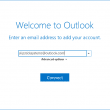
Step by step tutorial to add an Outlook.com account (and reconfigure settings) to Outlook and use it to sync calendar and contacts.

Removing Birthdays and Anniversaries from the Calendar
You cannot delete individual birthdays from the Birthday calendar. see for more information. Not surprisingly, there are more than a few users who don't Outlook to add birthdays to their calendar. Generally speaking, the best way to prevent this is by not putting birth dates and anniversaries in the contact fields. If you want to
Contacts are Grouping in Two Groups of (none)
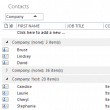
We occasionally get complaints from people who are using a group by view on Contacts and they have two groups of "(none)", often when grouping by Company or Country (because they are common fields to group by), but grouping by almost any field can result in two different (none) groups. This can happen with contacts

Create appointments by dragging messages to Calendar
It's easy to create an appointment from an email in Microsoft Outlook: just drag the email message to the calendar and drop it. You can drag an email to one of the buttons on the navigation bar then drop it to create an appointment with the contents of the message in your default Calendar or
Create a new Contact folder and enable it as an Outlook Address Book
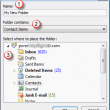
How to create additional Contact folders and enable then as Outlook Address Books.
The No-Export way to use Outlook data in Excel
The no-export way to use Outlook data in other applications, such as Excel or Notepad.

How to Forward a Contact Group
How to forward an Outlook Contact Group (distribution list). When you forward the list in Internet Format, a text file containing a list of members. T he recipient can copy the member list from the text file and create their won contact group.
How to Create a "No Mail" Profile
Not every Outlook user wants an email account in Outlook, they just want to use Outlook for Calendar and Contacts. This is possible and in older versions of Outlook, it was offered as an option. To create a no mail account in newer versions, all you need to do is cancel the dialog when it
Outlook.com Migration Status
After outlook.com account is migrated to the new server, Outlook 2010, 2007, 2003 users need to remove the Outlook Connector account and add the account back to Outlook.

Outlook 2013: Set reminders on Tasks in an IMAP account
How to configure Outlook 2013 IMAP accounts to get the full flag follow-up options (tomorrow, next week, etc.) and use a custom quick-step that saves email as task with text.