Outlook isn't all that complicated to use once you figure it, but trying to explain how to do something in Outlook often takes longer than just showing how to do it.
Many of these tutorials area also available on Slipstickcom's YouTube channel.

Print a Calendar using OWA 2007
OWA 2007 doesn't include a Print button. If you want to print from OWA, you'll need to use your browser's print functionality. Unfortunately, the results from the default settings leaves much to be desired as the dates and headers are out of alignment and even in landscape layout, the full calendar won't fit on the
To Add a Second Mailbox to Your Exchange Profile
When you need to access a non-default calendar in another user's mailbox, you need to add their mailbox to your profile. You can use this method with all versions of Outlook, including Outlook 2010. Outlook 2010 supports multiple Exchange server mailboxes in a profile. If you need full access to a mailbox and know the

Create Envelopes and Letters using Word
With previous versions of Microsoft Outlook you could select a contact, then choose Actions, New letter to contact to create a letter or envelope from a contact. For various reasons, this feature was removed from Outlook 2007. While you could use Mail Merge, its overkill for a single letter or envelope. Instead, use the Address
How to create New Folders in Outlook
It's easy to add more folders to Outlook - right click on any folder and choose New Folder. You can change the folder type, if necessary, and change where the folder will be placed. You can put folders in the "root", along with the Inbox, Calendar, Contacts etc, or as a subfolder of any folder

Which Outlook account downloaded the message?
When you have multiple accounts setup in Outlook and all delivered to the same Inbox, you may need to check to see which account downloaded a message. This information is helpful when you are troubleshooting account problems, such as the wrong account is used when you hit Reply. These steps work the same on all
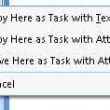
How to Drag Messages to Tasks
You can create Tasks from email messages by dragging the message to the task button the Navigation pane. If you want the message attached, right click and drag. When you drop the message, you'll have the option to copy the message as text or an attachment or move it as an attachment. If you want
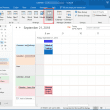
Calendar Overlay and Schedule View
Viewing calendars in overlay, schedule view, or as individual calendars.

Create a New Appointment with Contact
In older versions of Outlook, you could right click on a contact and choose "New Appointment with contact" to create an appointment linked to the contact. This command was removed from Outlook 2007 and up but you can still create an appointment with a contact using the Meeting with contact command then canceling the meeting.
Copy and Print Folder Names
Outlook doesn't offer a way to print a list of folder names. Your choices are to do a screen print or use a . If you use a full featured screen capture program such as Snagit, you can copy an entire scrolling window and paste the text into Notepad. You'll need to configure the screen
Outlook 2010's Group Schedules
Earlier versions of Outlook had a group calendar window that was separate from Outlook so you could keep a group schedule visible while working in outlook and other applications. The group calendar was changed in Outlook 2010. Rather than having a separate list of groups that you can display in a scheduler-like window when needed,
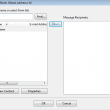
Quick Steps Address Book Bug (Fixed)
This bug is fixed in Outlook 2010 SP1. When you create a quick step that contains an address and use only POP3, IMAP, or Outlook Hotmail Connector accounts, Outlook uses the Windows address book instead of Outlook's address book. The wrong address book: When you select an address from the list (assuming you have any
Create Individual Contacts from a Distribution List
How to convert contact groups to individual contacts using Import or a VBA macro.