Outlook isn't all that complicated to use once you figure it, but trying to explain how to do something in Outlook often takes longer than just showing how to do it.
Many of these tutorials area also available on Slipstickcom's YouTube channel.

Understanding Fonts and the +Body Style
We get two types of questions about font handling in Outlook: How do I change the default fonts? Why is Outlook using [some font] instead of the one I set as default Outlook 2007 and up have two places where fonts are set: in Stationery and Fonts and in the Body style. Most people select

Outlook Contact & Address Book Options
Microsoft Outlook stores Contact and Address book options in three different locations. These settings control which Contacts folders Outlook uses as address books, the order Outlook searches for addresses, and which address book is used as the default when you click the To button.


Moving Outlook to a New Computer
Step-by-step instructions for moving Microsoft Outlook from one computer to another.
Connect Gmail Calendar to Outlook
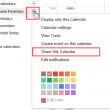
How to add a read-only Google Calendar to Outlook using the Internet Calendar feature.
Open Outlook's 'Root' Folder
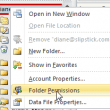
We often tell users to right click on the "root folder" but where exactly is that? Outlook's root folder is the top folder in your data file, where Outlook Today is. Right click on it and choose Properties (Data File Properties in Outlook 2010). From here you can check the size of the data file

Appointment Times Made Easy
Time and date entry is one area where Outlook is smart. Really smart. This video does not do justice to the power of date and time selections, especially the shortcuts you can use to make time and date entry faster and easier. You can use words for dates: christmas, next week, next month, week from

How to Customize or Reset the Current View
A tutorial showing Microsoft Outlook users how to to create or change custom views.
How to Create Custom Views
You can use custom views to display just the data you need. To make it easier to create a custom view, begin by applying a view that is similar to the view you want to create. If there are fields you don't need in your view, drag them from the row of field names to
Add a New Data File (*.pst) to Your Profile
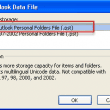
Use this method to create a new *.pst in your profile. While there are several ways to add a new *.pst file to your profile, you need to use this method when Outlook won't open because the *.pst is corrupt. You should also use this method when you are going to use the new *.pst
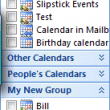
Using Navigation Pane Groups
Outlook 2003 and up offer an option to make New Groups (in the Navigation Pane) and quite a few users aren't quite sure what they should do with them. I use groups hold calendars I don't want to see in the Navigation pane and to keep certain colleagues calendar's together. If I need to see the