Outlook isn't all that complicated to use once you figure it, but trying to explain how to do something in Outlook often takes longer than just showing how to do it.
Many of these tutorials area also available on Slipstickcom's YouTube channel.

Add a file number or keyword to the subject line of messages
How to add a file number to the subject line of an Outlook message using VBA. (Sample macro included.)

How to Remove Holidays From the Default Calendar
Microsoft Outlook comes with a file named Outlook.hol that includes lists of holidays that you can import into your personal Calendar folder using the File, Options, Calendar, Add Holidays command. This makes it easy to add holidays and many users wind up importing the same group of holidays twice or adding extra holidays. If you
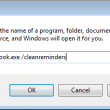
Command Line Switches Tutorial
We often tell people to use switches but don't always explain how they are used, leaving the user to find out on their own. Even when we do explain how to use them, we often leave out two critical points: there is a space between outlook and the slash and most importantly, you need to
Create a custom field for Outlook messages
How to create a custom field to mark messages that were responded to in Microsoft Outlook.
Move an Outlook Personal Folders .pst File
How to move an Outlook data file (pst) to a new folder and configure Outlook to use it.

Change the Subject of an Incoming Message
How to edit the subject of an incoming message in any version of Outlook.
Contacts are missing when you click the To button
What to do if you have Contacts in Microsoft Outlook's Contacts folder but they are not accessible when you click on the To button.

Create a Contact Group from a List of Addresses
How to create an Outlook distribution list or contact group from any list of email addresses, including a spreadsheet in Excel or a custom view in Outlook (with only the display name and email address visible.)
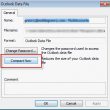
How to compact an Outlook data file (*.pst)
Outlook will compact the pst automatically when the amount of "white space" (space used by deleted items) exceeds 20% and it has some idle time. Outlook will work on compacting the pst when it and other programs aren't using all of your computer's resources and in most cases, it will recover the space within minutes,
How to Change the Font used for Outlook's RSS Feeds
If you don't care for Calibri font as the default for RSS feeds, you need to use a macro to change the font (on font size) as the font cannot be changed by the user. We have code samples for both Outlook 2010 and 2007.
How to quickly change the values in Outlook fields
How to change values in editable fields in Outlook without opening the item for editor or in bulk, without using a macro.

Add Attachments and Set Email Fields During a Mail Merge
Use an ItemSend macro to set fields on email merges and include attachments.