• Outlook User
  • New Outlook app
  • Outlook.com
  • Outlook Mac
  • Outlook & iCloud
  • Developer
  • Microsoft 365 Admin
    • Common Problems
    • Microsoft 365
    • Outlook BCM
    • Utilities & Addins

Rules Wizard, Filters, and Views

Slipstick Systems

The Rules Wizard for Microsoft Outlook automatically processes both incoming and outgoing messages. You set conditions similar to those used for Microsoft Outlook filters, then indicate what action(s) you want to be performed on messages that meet those conditions.

Rules in the Rules Wizard apply to only to mail at the time its downloaded. They can be applied to mail after its downloaded using the Run Rules Now command.

For Microsoft Exchange Server users, Rules Wizard automatically converts rules created with the Inbox Assistant feature (which Rules Wizard replaces). Exchange Server users also have an Out of Office Assistant for handling such things as vacation notices and Folder Assistant rules that run on public folders. See Server-based vs. client-based rules.

Filters are used with Search folders, Custom Views, and Advanced Find. Filters are used with Outlook items in the data file and show or hide but do not move items. You can apply filters to any Outlook item type, not just email. Filters can show, hide, or highlight items in different colors based on a variety of conditions and criteria.

Although Outlook does not support locking views against changes, you can lock view in Outlook 2010 using VBA. See How to prevent changes to Outlook views for a code sample.
Rules Wizard, Filters, and Views was last modified: October 10th, 2023 by Slipstick
rule 2 looks for a word

Creating an AND rule in Outlook Rules

A user wanted to know how to create an AND rule: If the subject contains outlook AND word, do something For example: "outlook AND word" to match on a Subject line of "Mail merge Outlook and Word", but not "Outlook Teams Meeting" While Outlook Rules don't support AND within a rule, you can make it  

'Have server reply' rule is not using 'reply-to' address

The question came from an Outlook user: We want to use a "Have server reply rule" to send an automated reply to people who send us a message using our web form. When the rule runs, Outlook is replying to the From address (our web server), not the Reply to address (the person who filled  
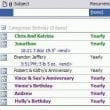
Featured: Completed view

Create a custom view to list upcoming birthdays

Display only the birthdays that occur in the upcoming months, by creating a custom view in Outlook's Calendar.
Use a Run a Script Rules to change the font

How to Change the Font used for Outlook's RSS Feeds

If you don't care for Calibri font as the default for RSS feeds, you need to use a macro to change the font (on font size) as the font cannot be changed by the user. We have code samples for both Outlook 2010 and 2007.

Mark Sent Items as Read After Copying with a Rule

When you use rules to move sent messages, the sent items are not marked read when they are copied to other folders. You need to VBA to mark the messages read.
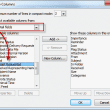
Read Receipt Field

View Read Receipt Request Indicator

All current versions of Outlook include a Read Receipt field, including Outlook 2010, 2013, 2016/2019/365. To see the Read Receipt indicator, you need to customize the view by adding the Receipt Requested field. For best results, you will need to use the Single Line view to see the read request field. To add the field  
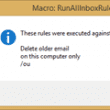
Run all Outlook Rules on Startup

Use an Application Startup macro to run Outlook's client side rules automatically.

Rules in Error and Reply with Template

This bug was fixed in Outlook 2010 in the July 2011 hotfix. Beginning with Outlook 2007 SP2 (and continuing in Outlook 2010), there is a bug in the rules engine which causes reply with template rules to fail. I was hoping for a hotfix when I saw a newly released KB article referring to "Rules  
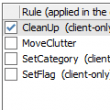
Run Rules Now using a Macro

How to use a macro to run Outlook's rules on demand or triggered by a reminder.
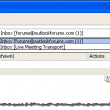
Only the rules associated with the default account are listed

Create a List of Rules

Valk Beekman wanted to share this VBA code sample that creates a text file containing a list of the rules used by the default email account. When the rule contains an email address, the address (or display name) is added to the output.
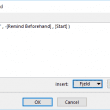
enter a formula in the formula editor

Custom Field Formulas: Phone Numbers

The basics of creating a custom field using a formula For best results, begin with a custom view: In Outlook 2010 and up, look on the View ribbon for Change View. Expand it and choose Manage Views. In Outlook 2007 and older, go to the View menu, find the menu for Define views. Click New.  

Exchange Server's Rules Limitation

Microsoft Exchange server, including Office 365 Exchange Online and Outlook.com, as well as on-prem Exchange servers, limit the number of rules a user can have in an Exchange mailbox. The limit is based on total size, not number of rules, so one user might have 20 rules while another has 30. Exchange 2003 and older  
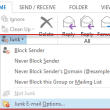
Select the junk email command to open the junk mail options dialog

Using Outlook's Junk Mail filter

Microsoft is no longer releasing updates for the Junk Mail filter. Junk email removes spam from your mailbox using built-in filtering capabilities. The junk mail feature is highly accurate when set on High and you can add specific addresses or domains to the Safe Senders, Safe Recipients, and Blocked Senders lists. To view the options,  

Server-side vs. Client-side Rules

You can divide rules into two types - server-side and client-only. Server-side rules are handled entirely by the Exchange Server, independent of the state of the Outlook client. Client-only rules do not execute until the user who created the rule logs in to the Outlook client with the same profile used to create the rule.
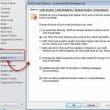
Second account delivered to pst

Using Outlook's Junk Filter with Multiple Accounts

How to change the Junk Email options in Microsoft Outlook 2010 and Outlook 2013 when you have multiple email accounts configured.

« Previous Page
Next Page »
Visit Slipstick Forums.

Latest EMO: Vol. 30 Issue 36

Support Services

Do you need help setting up Outlook, moving your email to a new computer, migrating or configuring Office 365, or just need some one-on-one assistance?

Subscribe to Exchange Messaging Outlook


Our Sponsors

CompanionLink
ReliefJet
  • Popular
  • Latest
  • Week Month All
  • Use Classic Outlook, not New Outlook
  • How to Hide or Delete Outlook's Default Folders
  • This operation has been cancelled due to restrictions
  • How to Remove the Primary Account from Outlook
  • iCloud error: Outlook isn't configured to have a default profile
  • Removing Suggested Accounts in New Outlook
  • Online Services in Outlook: Gmail, Yahoo, iCloud, AOL, GoDaddy
  • Reset the New Outlook Profile
  • Adjusting Outlook's Zoom Setting in Email
  • Change Outlook's Programmatic Access Options
  • Opt out of Microsoft 365 Companion Apps
  • Mail Templates in Outlook for Windows (and Web)
  • Urban legend: Microsoft Deletes Old Outlook.com Messages
  • Buttons in the New Message Notifications
  • Move Deleted Items to Another Folder Automatically
  • Open Outlook Templates using PowerShell
  • Count and List Folders in Classic Outlook
  • Google Workspace and Outlook with POP Mail
  • Import EML Files into New Outlook
  • Opening PST files in New Outlook
Ajax spinner

Recent Bugs List

Microsoft keeps a running list of issues affecting recently released updates at Fixes or workarounds for recent issues in classic Outlook (Windows).

For new Outlook for Windows:Fixes or workarounds for recent issues in new Outlook for Windows .

Outlook for Mac Recent issues: Fixes or workarounds for recent issues in Outlook for Mac

Outlook.com Recent issues: Fixes or workarounds for recent issues on Outlook.com

Office Update History

Update history for supported Office versions is at Update history for Office

Outlook Suggestions and Feedback

Outlook Feedback covers Outlook as an email client, including Outlook Android, iOS, Mac, and Windows clients, as well as the browser extension (PWA) and Outlook on the web.

Outlook (new) Feedback. Use this for feedback and suggestions for Outlook (new).

Use Outlook.com Feedback for suggestions or feedback about Outlook.com accounts.

Other Microsoft 365 applications and services

New Outlook Articles

Opt out of Microsoft 365 Companion Apps

Mail Templates in Outlook for Windows (and Web)

Urban legend: Microsoft Deletes Old Outlook.com Messages

Buttons in the New Message Notifications

Move Deleted Items to Another Folder Automatically

Open Outlook Templates using PowerShell

Count and List Folders in Classic Outlook

Google Workspace and Outlook with POP Mail

Import EML Files into New Outlook

Opening PST files in New Outlook

Newest Code Samples

Open Outlook Templates using PowerShell

Count and List Folders in Classic Outlook

Insert Word Document into Email using VBA

Warn Before Deleting a Contact

Use PowerShell to Delete Attachments

Remove RE:, FWD:, and Other Prefixes from Subject Line

Change the Mailing Address Using PowerShell

Categorize @Mentioned Messages

Send an Email When You Open Outlook

Delete Old Calendar Events using VBA

Sync & Share Outlook Data

  • Share Calendar & Contacts
  • Synchronize two computers
  • Sync Calendar and Contacts Using Outlook.com
  • Sync Outlook & Android Devices
  • Sync Google Calendar with Outlook
  • Access Folders in Other Users Mailboxes

Diane Poremsky [Outlook MVP]

Make a donation

Mail Tools

Sending and Retrieval Tools

Mass Mail Tools

Compose Tools

Duplicate Remover Tools

Mail Tools for Outlook

Online Services

Calendar Tools

Schedule Management

Calendar Printing Tools

Calendar Reminder Tools

Calendar Dates & Data

Time and Billing Tools

Meeting Productivity Tools

Duplicate Remover Tools

Productivity

Productivity Tools

Automatic Message Processing Tools

Special Function Automatic Processing Tools

Housekeeping and Message Management

Task Tools

Project and Business Management Tools

Choosing the Folder to Save a Sent Message In

Run Rules on messages after reading

Help & Suggestions

Submit Outlook Feature Requests

Slipstick Support Services

Buy Microsoft 365 Office Software and Services

Visit Slipstick Forums.

What's New at Slipstick.com

Home | Outlook User | Exchange Administrator | Office 365 | Outlook.com | Outlook Developer
Outlook for Mac | Common Problems | Utilities & Addins | Tutorials
Outlook & iCloud Issues | Outlook Apps
EMO Archives | About Slipstick | Slipstick Forums
Submit New or Updated Outlook and Exchange Server Utilities

Send comments using our Feedback page
Copyright © 2025 Slipstick Systems. All rights reserved.
Slipstick Systems is not affiliated with Microsoft Corporation.