
• Outlook User
  • New Outlook app
  • Outlook.com
  • Outlook Mac
  • Outlook & iCloud
  • Developer
  • Microsoft 365 Admin
    • Common Problems
    • Microsoft 365
    • Outlook BCM
    • Utilities & Addins

Outlook & iCloud Issues

Slipstick Systems

Outlook & iCloud Issues was last modified: October 10th, 2023 by Webmaster

Outlook crashes when syncing iCloud calendars

Following the release of the November update for Outlook, users are reporting that Outlook crashes when an iCloud calendar is subscribed as an Internet Calendar. (Calendars synced using the iCloud addin are not affected by this bug.) The cause: the iCloud sends a gzip encoded response but Outlook is not expecting gzip. Outlook tries to  
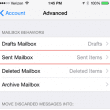
select icloud's sent folder

Syncing iPhone Sent Messages with Outlook

Sync iCloud.com and Me.com sent items with Outlook 2010 or Outlook 2007 by configuring Outlook's Sent folder to use iCloud's Sent Messages folder for sent items.

After Installing iCloud, Mail Won't Send?

After installing iCloud, email from iCloud.com and me.com accounts won't send from Outlook.

Create a Task and copy to another Tasks folder

This VBA code sample is the result of a discussion in the Microsoft Answers forum. Because of recent changes at Outlook.com, tasks, appointments, and contacts do not support attachments. You can add attachments to the items in Outlook 2013, but the attachments are hidden.

iCloud and Outlook Repair Now error

Outlook and iCloud error: "We're sorry but Microsoft Office has run into an error that is preventing it from working correctly. Microsoft Office will need to be closed as a result."

icloud icon

Outlook and iCloud: What you need to know

Using iCloud: Syncing Outlook Calendar, Contacts, and Tasks with iPhone and iPad.
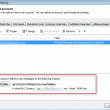
Choose a default delivery folder

Outlook and iCloud: default data files

New for iCloud v.2 released September 2012: the ability to set the iCloud data file as the default data file if you use a POP3 account as your default email account. Unfortunately this doesn't work if an IMAP account is the default account.
Folder paths

Save appointments to a non-default Outlook calendar folder

Use a VBA macro to move new appointments (or contacts) to a different folder. Can be used to move appointments and contacts to Hotmail or iCloud folders.
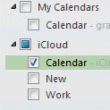
Select only the icloud calendar before printing

iCloud and Outlook Problems: Syncing Calendar

We have the answers to common problems users experience when syncing Outlook's Calendar with the iCloud Calendar.
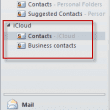
icloud contacts folder

Issues Syncing Outlook and iCloud Contacts

Answers for frequently asked questions from users trying to make Outlook's Contacts sync with the iCloud Contact folder. How to show icloud contacts first, how to save new contacts to the icloud folder by default.

Outlook and iCloud Sync Issues

We're seeing a lot of questions (and complaints) about the new iCloud service and Outlook integration. Users with POP3 accounts seem to have the most problems (but could benefit the most from iCloud), since the data is local to one computer and iCloud moves it all into the cloud. We have solutions to many of the problems.

« Previous Page
Visit Slipstick Forums.

Latest EMO: Vol. 30 Issue 36

Support Services

Do you need help setting up Outlook, moving your email to a new computer, migrating or configuring Office 365, or just need some one-on-one assistance?

Subscribe to Exchange Messaging Outlook


Our Sponsors

CompanionLink
ReliefJet
  • Popular
  • Latest
  • Week Month All
  • Use Classic Outlook, not New Outlook
  • How to Hide or Delete Outlook's Default Folders
  • How to Remove the Primary Account from Outlook
  • This operation has been cancelled due to restrictions
  • Removing Suggested Accounts in New Outlook
  • Reset the New Outlook Profile
  • iCloud error: Outlook isn't configured to have a default profile
  • Adjusting Outlook's Zoom Setting in Email
  • Online Services in Outlook: Gmail, Yahoo, iCloud, AOL, GoDaddy
  • Add Holidays to Outlook's Calendar
  • Opt out of Microsoft 365 Companion Apps
  • Mail Templates in Outlook for Windows (and Web)
  • Urban legend: Microsoft Deletes Old Outlook.com Messages
  • Buttons in the New Message Notifications
  • Move Deleted Items to Another Folder Automatically
  • Open Outlook Templates using PowerShell
  • Count and List Folders in Classic Outlook
  • Google Workspace and Outlook with POP Mail
  • Import EML Files into New Outlook
  • Opening PST files in New Outlook
Ajax spinner

Recent Bugs List

Microsoft keeps a running list of issues affecting recently released updates at Fixes or workarounds for recent issues in classic Outlook (Windows).

For new Outlook for Windows:Fixes or workarounds for recent issues in new Outlook for Windows .

Outlook for Mac Recent issues: Fixes or workarounds for recent issues in Outlook for Mac

Outlook.com Recent issues: Fixes or workarounds for recent issues on Outlook.com

Office Update History

Update history for supported Office versions is at Update history for Office

Outlook Suggestions and Feedback

Outlook Feedback covers Outlook as an email client, including Outlook Android, iOS, Mac, and Windows clients, as well as the browser extension (PWA) and Outlook on the web.

Outlook (new) Feedback. Use this for feedback and suggestions for Outlook (new).

Use Outlook.com Feedback for suggestions or feedback about Outlook.com accounts.

Other Microsoft 365 applications and services

New Outlook Articles

Opt out of Microsoft 365 Companion Apps

Mail Templates in Outlook for Windows (and Web)

Urban legend: Microsoft Deletes Old Outlook.com Messages

Buttons in the New Message Notifications

Move Deleted Items to Another Folder Automatically

Open Outlook Templates using PowerShell

Count and List Folders in Classic Outlook

Google Workspace and Outlook with POP Mail

Import EML Files into New Outlook

Opening PST files in New Outlook

Newest Code Samples

Open Outlook Templates using PowerShell

Count and List Folders in Classic Outlook

Insert Word Document into Email using VBA

Warn Before Deleting a Contact

Use PowerShell to Delete Attachments

Remove RE:, FWD:, and Other Prefixes from Subject Line

Change the Mailing Address Using PowerShell

Categorize @Mentioned Messages

Send an Email When You Open Outlook

Delete Old Calendar Events using VBA

Repair PST

Convert an OST to PST

Repair damaged PST file

Repair large PST File

Remove password from PST

Merge Two Data Files

Sync & Share Outlook Data

  • Share Calendar & Contacts
  • Synchronize two computers
  • Sync Calendar and Contacts Using Outlook.com
  • Sync Outlook & Android Devices
  • Sync Google Calendar with Outlook
  • Access Folders in Other Users Mailboxes

Diane Poremsky [Outlook MVP]

Make a donation

Mail Tools

Sending and Retrieval Tools

Mass Mail Tools

Compose Tools

Duplicate Remover Tools

Mail Tools for Outlook

Online Services

Calendar Tools

Schedule Management

Calendar Printing Tools

Calendar Reminder Tools

Calendar Dates & Data

Time and Billing Tools

Meeting Productivity Tools

Duplicate Remover Tools

Productivity

Productivity Tools

Automatic Message Processing Tools

Special Function Automatic Processing Tools

Housekeeping and Message Management

Task Tools

Project and Business Management Tools

Choosing the Folder to Save a Sent Message In

Run Rules on messages after reading

Help & Suggestions

Submit Outlook Feature Requests

Slipstick Support Services

Buy Microsoft 365 Office Software and Services

Visit Slipstick Forums.

What's New at Slipstick.com

Home | Outlook User | Exchange Administrator | Office 365 | Outlook.com | Outlook Developer
Outlook for Mac | Common Problems | Utilities & Addins | Tutorials
Outlook & iCloud Issues | Outlook Apps
EMO Archives | About Slipstick | Slipstick Forums
Submit New or Updated Outlook and Exchange Server Utilities

Send comments using our Feedback page
Copyright © 2025 Slipstick Systems. All rights reserved.
Slipstick Systems is not affiliated with Microsoft Corporation.