Not every Outlook user wants an email account in Outlook, they just want to use Outlook for Calendar and Contacts. This is possible and in older versions of Outlook, it was offered as an option. To create a no mail account in newer versions, all you need to do is cancel the dialog when it asks for an email account.
If you use Outlook 2016, see "Create a No-Mail account in Outlook 2016 and newer"
To create a No Mail Profile
You can create a no mail profile when you first start Outlook or from the Control Panel, Mail applet if you already have an Outlook profile. The steps are similar using either method.
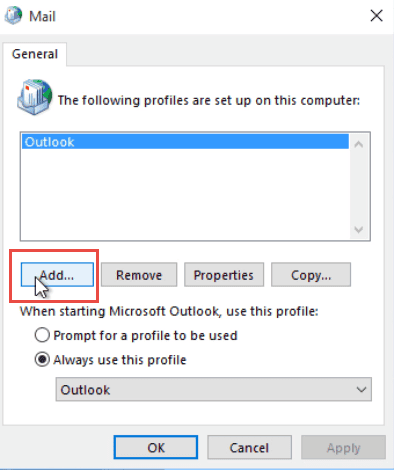
- Open Control Panel, Mail. Tip: Use the Category or Icon view if the Control Panel is not in list format.
- Click Show Profiles button, if present.
- Click Add to add a new profile. You can delete old profiles, if desired, by selecting them and clicking the Remove button.

- Type a name for your profile.
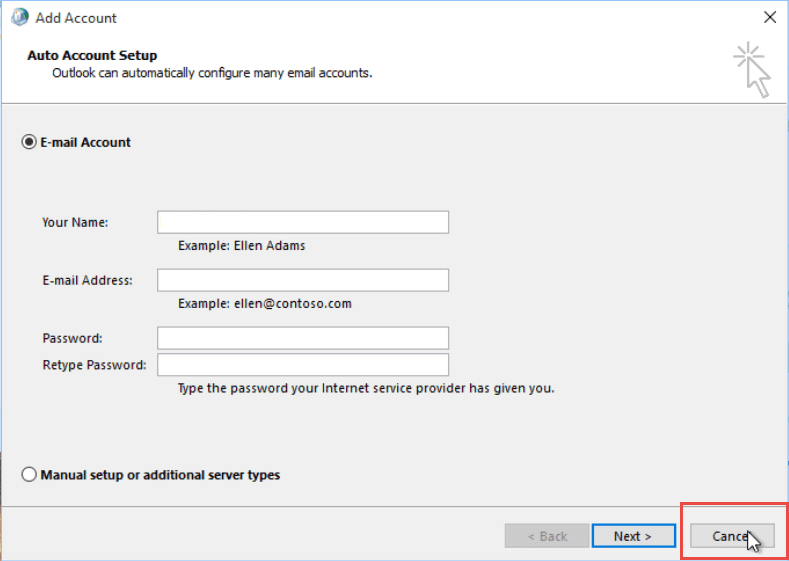
- The Add Account dialog comes up; Click Cancel to exit the dialog.
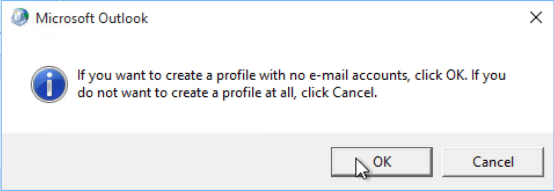
- Another dialog comes up tp confirm you don't want to add an email account, click OK.
- If you need to add an existing PST to the profile, click Properties (as seen the screenshot in Step 3) then Data Files button.
- Click Add and browse for your existing PST file. Set it as default data file.
- If you have more than one profile, either select the option to always prompt for the profile or choose the option to always use a specific profile then select the profile in the dropdown. (See Screenshot in Step 3)
- Ok your way out of the profile dialog to return to Windows.
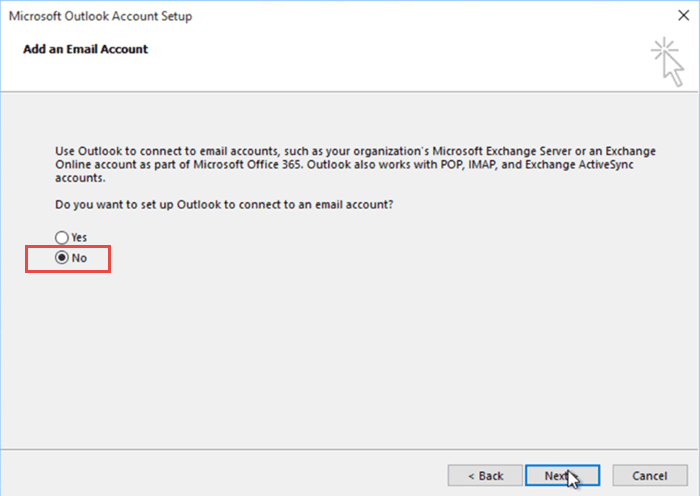
- Start Outlook. It will step through profile dialog, confirming again your desire to create a profile without an email account.
- Click No on the Add an Email Account dialog, to set up Outlook without an Email account.
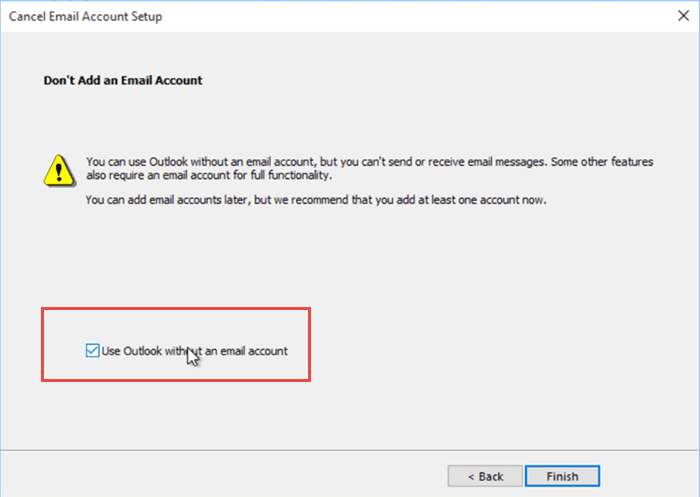
- Tick the box to Use Outlook without an email account and click Finish.
- After Outlook opens, Right click on the PST file Outlook created by default and choose Close [pst name] if you added an existing PST file.
More Information
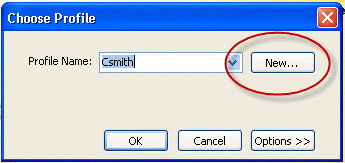
When you use the option always show the Choose Profile dialog, you can create a new profile by clicking the New button. Cancel the account dialog to create a no mail profile.

Matt says
Please review this post, Outlook has been updated and now tries to attach an email account even when following these directions.
Diane Poremsky says
Which version of outlook? I know 2016 does - see https://www.slipstick.com/outlook/create-no-mail-account-outlook-2016/ for solutions. (The switch will soon be available in all builds soon.)
Jdrap says
So helpful. I think Ms. Diane and this page has given me a handle on an Outlook 2010 and icloud / ios 7.1 contacts sync issue that I've spent 3 days (off and on) attempting to resolve.