The articles listed below contain VBA code samples. Additional code samples are listed at Developer Samples
Assign a custom form to existing Outlook items
Use this VBA macro as an alternative to DocMessageClass for changing an Outlook item's message class.
Create a custom Send to... shortcut
How to create your own send to shortcut that uses your Outlook stationery and signature. Customize the shortcuts to include the email addresses and more.
How to use Outlook's VBA Editor
Basic instructions on using Outlook's VBA editor: how to open it, where to put the code, how to sign your code.
Outlook Folders Appear Empty after Exporting an IMAP Account
After importing IMAP folders to Personal Folders or an Exchange mailbox, messages in the imported folder are hidden.
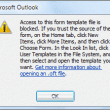
How to Open Outlook Templates and Files using Toolbar Buttons
How to create a toolbar button in Outlook 2007 or Outlook 2010 to open templates and files and disable the security warning dialog that displays before the template or files opens.
Open Outlook Templates using PowerShell
I have VBA code samples to load templates and change the Sender address without going into Outlook's convoluted Template dialog but wanted a PowerShell version.
Count and List Folders in Classic Outlook
A user had problems syncing Outlook with his IMAP account and I suspect it is because he has a large numbers of folders. While we could count the folders one by one, it's easier to use PowerShell and it does not require changing macro security.
Outlook, Multiple Accounts and the Default Account
When you use Microsoft Outlook 2010 or Outlook 2013 and have multiple accounts delivered to different *.pst files, Outlook doesn’t use the default account set in Account settings. Instead, it uses the account associated with the mailbox or *.pst file the folder you are viewing is stored in. This change in behavior doesn't work well when an IMAP is configured to be the default email account and you have a POP3 account delivered to the default pst file.
Outlook Categories, Flags, and IMAP Accounts
Categories and flags are not available in all of my folders in Microsoft Outlook. I can use categories and flags on mail in my POP3 account but categories are not available in my IMAP account and flags are limited to one flag, no reminder. Why? The IMAP protocol doesn't support the Category and Flag properties
Send an Email When a Reminder Fires
Another entry in my Lazy Programmer Series, a macro for Outlook users who want to schedule a message to send later. This macro is triggered by a reminder and sends a message, composed from the appointment's subject line and body.
Adjusting Outlook's Zoom Setting in Email
New to Outlook 365: Remember Zoom Preferences. If the fonts in incoming messages are tiny (or huge), you may have a Zoom problems. I'll show you how to fix it. If you don't have an Office 365 subscription, I have a macro that will set the zoom level for you.

Automatically BCC All Messages
Outlook doesn't have a built in method you can use to automatically include yourself (or other email address) in the BCC field when you send a new message. You can use Rules Wizard to CC and address but not to send a BCC.
Create a Task from an Email using a Rule
Create tasks from email as they arrive using a simple script and Rules Wizard. With a slight variation, you can create a task from the message you are reading in the reading pane. Complete instructions and ready-to-use code samples included.
Combine and Print Multiple Outlook Calendars
How to copy appointments from several Outlook calendars to print as one calendar. Includes code specific to Exchange server accounts that works with Resource calendars as well as other user's calendars.
Warn Before Sending Messages to the Wrong Email Address
Do you accidently send messages to the wrong email address? You can use a VBA macro that checks the outgoing addresses before sending the message.