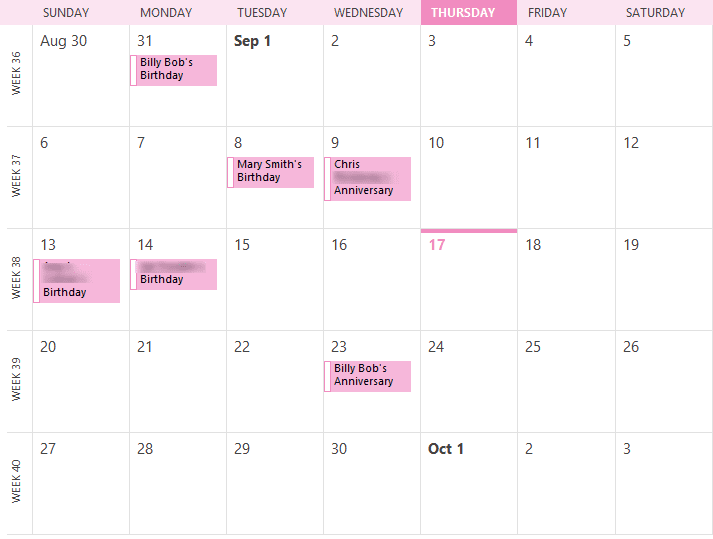
If you want to view only birthdays (and anniversaries) on your calendar, you can create a custom view in Outlook that shows only events that contain the word "birthday" in the subject. After the view is applied to the folder, you can print the calendar.
Office 365 Exchange Online and Outlook.com have an option for separate birthday calendars.
- Go to the Calendar Folder.
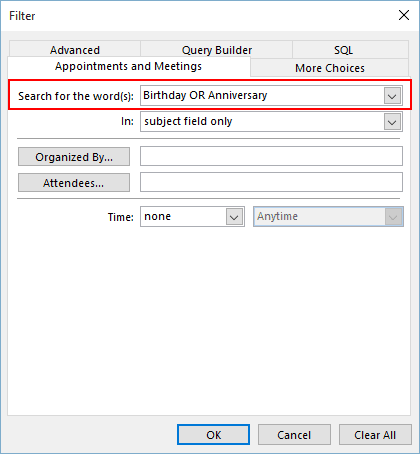
- Create a filter (View ribbon, View Settings in Outlook 2010 and up, or View, Current View, Customize Current View, Filter in older versions) to search for the word "Birthday" in the Subject field. If you want to include anniversaries too, use OR (in capitals) or a comma separator between birthday and anniversary.

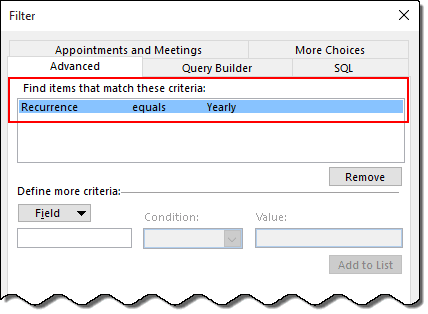
- If you have appointments with the word "birthday" in the subject, create a Advanced filter for the Recurrence field contains "yearly". In the Filter dialog box, switch to the Advanced tab and select Recurrence from the Field > All Appointments list or type Recurrence. Select equals then Yearly.
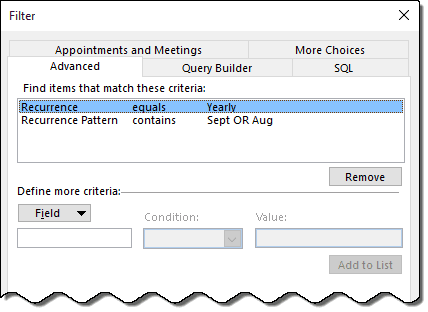
- To show only birthdays for a specific month (or months), add the Recurrence Pattern field to the Advanced tab filter, condition of contains and enter the name of the month. Use a comma separator or OR to include multiple months. This step is only needed if you want to hide birthdays in specific months. (See note below.)
Tip: You only need to use the first letters of the month's name when you use contains. - Click OK, and you'll see only the birthdays (and anniversaries) on screen.
Note: If all birthdays are in the Birthday category, you can create filter for categories instead of filtering the subject.
If you are printing a monthly calendar, it's not necessary to show only birthdays in a specific month to avoid including events on the dates that fill out the first and last weeks of a calendar. Instead, use Outlook's Print Options, Page Setup to Print Exactly One Month Per Page. This will exclude appointments and events that are in the previous and next month.
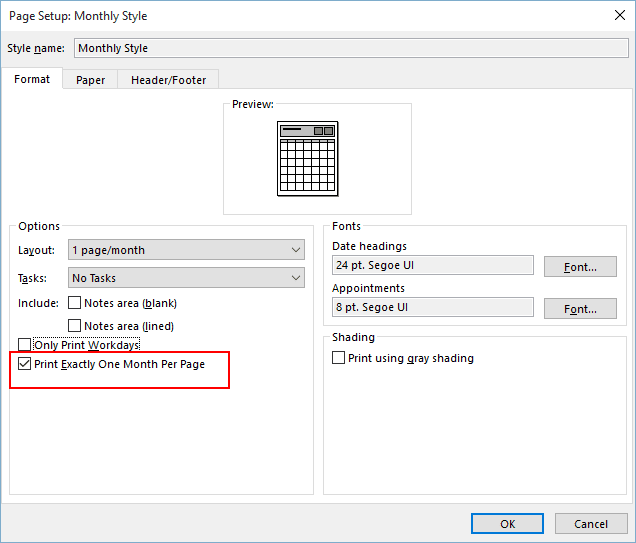
To access this dialog, you can either click Print Options, Page Setup or double click on Monthly Style in the Settings list.
More Information
See Create a custom view to list upcoming birthdays for the steps (and screenshots) to create a list of birthdays by month.

Carolyn Lillie says
Can you print a monthly calendar with birthdays
Diane Poremsky says
You can, you just need to create a custom view that shows only birthdays. Use a filter on the View: Search for the words Birthday OR Anniversary - this is on the Appointments and Meetings page of the filter dialog. (I'll update the page with the instructions.)