The articles listed below contain VBA code samples. Additional code samples are listed at Developer Samples
Rename Outlook Attachments
This macro allows you to rename attachments on incoming or outgoing messages.

Parsing text fields in Outlook
How to use Len, Left, Right, Mid, and InStr to extract text from Microsoft Outlook fields and message bodies.
Enable Contacts as Address Book using VBA
A user with way too many contact folders created a new profile and none of the contact folders were listed in the Address Book menu. With more than 200 contacts folders, it would take several hours to enable each folder manually. I had a macro that needed just a little tweaking to set the folders
How to use Windows File Paths in a Macro
How to choose the file path when you save an Outlook attachment or a message using a VBA macro.
Format Images in Outlook Email
This variation of the Resize Images in Email macro puts a border and shadow around all images in the message you are composing.

Automatically Create Contacts From Messages
This macro will go through the messages in a folder and create a contact for each sender A user needed to solve this problem: My contact list on a prior system was deleted. I imported all of my emails into my new Microsoft Outlook 2003 but going through all the emails individually to add contacts

Set Outlook Online or Offline using VBScript or PowerShell
How to use PowerShell, VbScript or VBA to set Outlook to work offline.
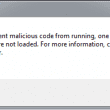
Custom Form Security Changes
Tighter security on Outlook Custom forms breaks VBScript in the forms and some controls. Set a registry key to enable these features.
Open Hyperlinks in an Outlook Email Message
Use an Outlook macro to open every hyperlink in the selected email message. A version of the macro will open hyperlinks in every message in the selected folder.
Processing Incoming E-mails with Macros
The Rules Wizard is great for a lot of things when automatically processing incoming e-mails. However, when there's that one certain thing that you can't do with it, you can always be the Wizard yourself and write your own rules with VBA. However, one of the greatest challenges for developers programming with Outlook is learning
Use a macro to move Sent Items
Use a VBA macro in Outlook to move IMAP sent items to the Sent items folder on the IMAP server.
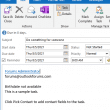
Add Contact Information to a Task
Use a macro to add contact information to a task or appointment body.
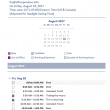
Use VBA to Email Tomorrow's Agenda
How to use VBA to create and email a daily agenda with your upcoming appointments, each evening. You can also use VBA to automate adding your availability to a message.
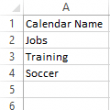
Create Appointments Using Spreadsheet Data
Use an Excel macro to create appointments in subcalendars in Outlook. To use, type the appointment data, including the calendar name, into the spreadsheet then run the macro. The macro creates appointments in the correct calendar folder.
How to Insert the Date and Time into an Outlook Item
One often requested feature that is missing in older versions of Outlook is ability to insert a date and time stamp into the body of Outlook items. Beginning with Outlook 2007, Word's insert Date & Time button was added to Outlook's Insert tab; older versions will need to a custom form or an add-in to