The information contained in this section will help you solve problems with Outlook. While some of the problems are related to bugs (which may or may not get fixed), many of the problems are just how Outlook was designed, which doesn't necessarily fit with how we want to use it. Other problems are caused by the interaction between Outlook and other programs or Outlook add-ins.
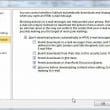
Outlook hangs while opening messages
A bug in Outlook allows a malformed "web bug" url to bypass the blocked external content setting. As a result, content that would normally be blocked by the Block External Content may be downloaded.
Quick Access Toolbar Customizations won't Save
When you use a roaming profile and the Quick Access Toolbar isn't being saved when you log out, Group policy isn't configured to allow all user customizations to roam. To enable the roaming of the QAT customizations, you need to add the following value to your registry: Key: HKEY_CURRENT_USER\Software\Microsoft\Office\14.0\Common\Toolbars Value: CustomUIRoaming Type: DWORD Data: 1
Delete large messages stuck in the Outbox
How to delete a message stuck in Outlook's Outbox when Outlook returns an error because the message is already being transmitted.

Messages are stuck in the Outbox
Common problems and their solution when email is stuck in the Microsoft Outlook Outbox and won't send.
Error Opening Outlook and Control Panel's Mail Applet
Outlook 2013 Users whose Mail applet stopped working in June 2016, see Outlook 2013: Control Panel Mail Won't Open . We're seeing reports that Outlook won't open, returning a (basically useless!) error message that Outlook won't open. Attempting to open the Mail applet in the Control panel results in an error message that Outlook is
Is 'Make a new profile' the new 'Format C:'?
Many times, Support staff suggest making new profiles because they don't know how to troubleshoot a problem or can't be bothered.
Outlook and iCloud: default data files
New for iCloud v.2 released September 2012: the ability to set the iCloud data file as the default data file if you use a POP3 account as your default email account. Unfortunately this doesn't work if an IMAP account is the default account.
Outlook Error: General failure. The system cannot find file specified.
When you click on a link in an Outlook email, you may receive the following error message: General failure. The URL was: "//www.some-web-address.com" The system cannot find the file specified. This really isn’t an Outlook error, it’s a browser error, but most users will discover it when they click on a link in an Outlook
Removing the Acrobat addin and toolbar from Outlook
How to remove the Adobe PDF addin and toolbar from Outlook and other Office applications.
Cannot start Microsoft Office Outlook Error Message
You receive this Outlook error message: "Cannot start Microsoft Outlook. Cannot open the Outlook window. The set of folders cannot be opened." This is typically caused by one of the following issues: Your data file or profile is corrupt. Another application or a COM Addin, such as a sync utility or , is accessing Outlook’s

Red X's in Email Messages
If you have red x's in your Microsoft Outlook email instead of images and are allowing automatic download of images, you need to delete files from the SecureTemp folder.

Pictures Don't Display in Outlook Messages
When you don't see images in your Outlook email and have a blank box instead of a red x, you have Show picture placeholders enabled.