The articles listed below contain VBA code samples. Additional code samples are listed at Developer Samples
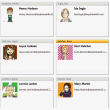
Batch Import Photos into Outlook Contacts
How to add photos to Outlook contacts, either by editing each contact or using VBA or a utility to add images to all contacts.
Create a List of Rules
Valk Beekman wanted to share this VBA code sample that creates a text file containing a list of the rules used by the default email account. When the rule contains an email address, the address (or display name) is added to the output.
Send email from another address using VBA
Use VBA to send an email using a Exchange server distribution list address you have Send as permissions for.
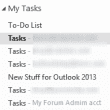
Always use Tasks, not Outlook's To-Do List
How to use VBA to always select the desired Task folder when you open the Tasks navigation pane.
Replace Display Names with Email Addresses
Use an ItemSend macro in Outlook to replace display names on messages with the email address as the message is sent.
Categorize Contacts with bad addresses
Outlook doesn't have an automated method for assigning categories or deleting contacts that contain bad addresses, but you can use VBA to assign categories or delete the contacts.
Remove prefix from Gmail meeting invitations
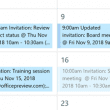
Use Outlook VBA to remove the words Invitation and Updated invitation from meetings received from Gmail users.
Move email items based on a list of email addresses
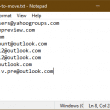
This code sample shows how to load the contents of a text file into an array then use the array to do something, in this example, to move messages to a new folder.
Replicate Smart Lookup using a macro
How to replicate the Smart Lookup feature in Outlook using a different search engine.

Sort messages by Sender domain
How to sort email messages by domain. Although you can filter by domain simply by typing the domain name in the address field of the filter dialog, you need to use a macro to sort by domain.
Copy: is prefixed to the Subject of a Meeting
Beginning with Outlook 2007 SP2, "Copy:" is added to the subject line of a meeting that is copied from a shared calendar. Workarounds are available.
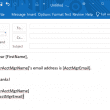
Use VBA to create a Mail Merge from Excel
How to create a macro that reads values from an Excel worksheet and sends a mail merge, replacing unique values in an Outlook template with values in the worksheet and send the message From an address in the worksheet.

Move Appointments to an Archive Calendar
This code removes the reminder and categories and moves the appointment to a calendar in an archive folder or a subfolder under the calendar. I want to be able to do 3 things with just one click of a button: With a Calendar event selected, I want to: 1) Erase any Reminder (set Reminder to:
Designing Custom Outlook Forms
How to open Microsoft Outlook's Forms Designer and create your own customized forms.
Replying to Sent Messages
A user had a complaint about Outlook (don't we all!) and was looking for a way to change the behavior. For example, I send an email to Joe and want to add additional comments after it's sent, so I go to the Sent Items folder and click Reply, but it is replying to me, not