The information contained in this section will help you solve problems with Outlook. While some of the problems are related to bugs (which may or may not get fixed), many of the problems are just how Outlook was designed, which doesn't necessarily fit with how we want to use it. Other problems are caused by the interaction between Outlook and other programs or Outlook add-ins.

Skype for Business is locking Outlook's .OST File
How to fix the error message "Cannot open this item. File access is denied. You do not have the permission required to access" the ost file when using Outlook and Lync.together.
Application failed to start because MSVCR80.dll was not found.
This error often caused by add-ins installed by Norton security products, but if you have an Acer computer, the eDataSecurity add-in for Outlook may be the cause. Note that these two applications are the most well-known cause but other applications may cause it as well. Unloading the offending add-in will usually fix it, if not
Error with the To-Do Bar's Task list
We're seeing a rash of errors with the To-Do Bar lately. This following message appears at the bottom, where the Task List is: "The operation failed. An object could not be found." Also, in the To-Do List in the Tasks module, the error message is "Cannot display the folder." Depending on the cause, it may
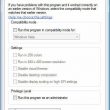
Say No! to Compatibility Mode
Enabling Compatibility mode in Windows 7 will cause problems in Outlook, including operation error messages and problems creating accounts or new data files. Tutorial shows how to check compatibility settings.

3 Ways to Run PST Recovery (and a Better Alternative)
Why do organizations need to run a PST recovery? Is it because users love to save so much email that their PST files exceed all reasonable storage limits and then blow up – putting hundreds or thousands of business critical emails at risk? Or is it because they try to store these enormous PSTs on

Icon is not correct on the Junk Mail Folder
The red crossed circle has disappeared from the Junk Mail folder. I tried starting Outlook with the folder reset switch, but no luck. The icon is still the standard folder icon. As long as the Empty folder commands work, it's not broken, but to restore the junk folder icon, you'll need to make a new
Zip Files Don't Display in the Insert File Dialog
Problem: When you open the Insert File dialog in when composing an email message, Outlook "hides" the zip files in the directory. The only way to add a zip as an attachment to a message is by opening Windows Explorer and dragging the file to the message window. Cause: Windows has a system component that

Certificate Error in Outlook's Social Connector
When you use Outlook's Social Connector and the "Apply macro security configuration to add-ins" macro security setting enabled, you may receive a security alert when you start Outlook, due to an invalid digital signature on the socialconnector.dll.
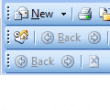
Outlook's Toolbars Don't Stay Where You Put Them
After adjusting your toolbars as you like them, you may discover that Outlook doesn't remember their position the next time you open it. This is caused by add-ins that set a specific position for their toolbar or don't properly handle toolbars. It is the result of bad toolbar design on the part of the add-in
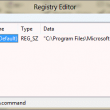
Shortcuts and the Missing Outlook:// Protocol
How to restore the Outlook:// protocol in Outlook 2007 and up. This protocol allows users to create shortcuts to Outlook items and open the items outside of Outlook.
"Failed to open message store" Error
Some users report receiving this error: Failed to open message store. Microsoft Office Outlook Offline Folders [269287937] : The file C:\Documents and Settings\username\Local Settings\Application Data\Microsoft\Outlook\outlook.ost is in use and could not be accessed. Close any application that is using this file, and then try again. (Error: 0) This error affects Outlook users who link to
Print Email (and Attachments) on Arrival
You can use a rule to print messages as they arrive, but if you want to print attachments, you need to use an add-in or custom action. For most people, using an add-in is easier than writing a custom action (which require programming knowledge). Most add-ins offer more options than printing from Outlook normally would.