• Outlook User
  • New Outlook app
  • Outlook.com
  • Outlook Mac
  • Outlook & iCloud
  • Developer
  • Microsoft 365 Admin
    • Common Problems
    • Microsoft 365
    • Outlook BCM
    • Utilities & Addins

VBA Code Samples

Slipstick Systems

The articles listed below contain VBA code samples. Additional code samples are listed at Developer Samples
VBA Code Samples was last modified: February 8th, 2018 by Slipstick

Run a Script Rule: Forwarding Messages

An Outlook user asked how to automatically change the subject of a message and forward it to another address. Using a "run a script" rule is one option and we show you how to do it.

Outlook's Save sent items icon

Choosing the Folder to Save a Sent Message In

How to choose the folder to save sent messages in when using Microsoft Outlook. Lotus Notes can prompt the sender to specify what folder a message should be saved in, Outlook doesn't (unless you use VBA code). However, there are methods you can use to move sent messages to a new folder.

mail icon

Remove RE:, FWD:, and Other Prefixes from Subject Line

A VBA macro for classic Outlook to change the prefix on messages when the Reply and Forward prefixes are different, such as AW: instead of RE:. It can also be used to remove or change other prefixes, such as External:.

VBA to convert document to email

Insert Word Document into Email using VBA

How to use a macro to reply to senders by inserting the text from a Word document as the message text. There is also a macro to send a new message with the contents of a Word document inserted.
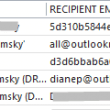
Display the Recipient Email Address in the Sent Items Folder

Use a macro to create a field in Outlook's Sent Items folder that displays the email addresses the message was sent to.
VBA Sample: Do Something When Reply is Clicked

How to "do something" when you click the Reply, Reply All, or Forward button. Add a category, change the subject, add a recipient, add boilerplate text.
use a macro to embed images in messages

Embed Images in New Messages using a Macro

How to use a macro to embed images in a folder into a new Outlook email message and send it. Send either one image per message or embed all images in the folder into one message.

contacts icon

Warn Before Deleting a Contact

Use a VBA macro to warn before deleting (or moving) a contact in classic Outlook.
The hidden property is added and the folder is not visible in the folder list

How to Hide or Delete Outlook's Default Folders

Step-by-step instructions you can use to delete or hide the default folders (such as the junk email and suggested contacts folders) that Microsoft Outlook creates in your data files.
lock views

How to prevent changes to Outlook views

It's not hard to image this scenario: you create a custom view, everything is just the way you like it. Then you accidentally sort by a different column. Outlook saves the changes and your perfect view is ruined. In the early versions of Outlook, users were presented with a "Do you want to save changes?"  
delete appointments

Delete Old Calendar Events using VBA

A VBA macro for classic Outlook to remove "clutter appointments", such as delivery notification, focus time, or other old events I don't need on my calendar.

Imported Addresses are Missing from Address Book

Addresses imported into the Contacts folder may not appear in the Address Book display.
PowerShell ise

Use PowerShell to Delete Attachments

How to use PowerShell to delete large attachments from all messages in a classic Outlook folder or all attachments from selected messages in any classic Outlook folder.
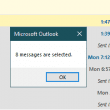
count messages in a conversation

Count Selected Messages

How to get a count of the messages you have selected in Outlook, using a macro or copy and paste.
Remove Attachments From Messages

How to remove attachments from selected messages in Microsoft Outlook's Sent Items folder using VBA.

« Previous Page
Next Page »

Visit Slipstick Forums.
What's New at Slipstick.com

Latest EMO: Vol. 31 Issue 3

Support Services

Do you need help setting up Outlook, moving your email to a new computer, migrating or configuring Office 365, or just need some one-on-one assistance?

Our Sponsors

CompanionLink
ReliefJet
  • Popular
  • Latest
  • Week Month All
  • Jetpack plugin with Stats module needs to be enabled.
  • Error Opening iCloud Appointments in Classic Outlook
  • Opt out of Microsoft 365 Companion Apps
  • Mail Templates in Outlook for Windows (and Web)
  • Urban legend: Microsoft Deletes Old Outlook.com Messages
  • Buttons in the New Message Notifications
  • Move Deleted Items to Another Folder Automatically
  • Open Outlook Templates using PowerShell
  • Count and List Folders in Classic Outlook
  • Google Workspace and Outlook with POP Mail
  • Import EML Files into New Outlook
Ajax spinner

Recent Bugs List

Microsoft keeps a running list of issues affecting recently released updates at Fixes or workarounds for recent issues in classic Outlook (Windows).

For new Outlook for Windows: Fixes or workarounds for recent issues in new Outlook for Windows .

Outlook for Mac Recent issues: Fixes or workarounds for recent issues in Outlook for Mac

Outlook.com Recent issues: Fixes or workarounds for recent issues on Outlook.com

Office Update History

Update history for supported Office versions is at Update history for Office

Outlook Suggestions and Feedback

Outlook Feedback covers Outlook as an email client, including Outlook Android, iOS, Mac, and Windows clients, as well as the browser extension (PWA) and Outlook on the web.

Outlook (new) Feedback. Use this for feedback and suggestions for Outlook (new).

Use Outlook.com Feedback for suggestions or feedback about Outlook.com accounts.

Other Microsoft 365 applications and services


New Outlook Articles

Error Opening iCloud Appointments in Classic Outlook

Opt out of Microsoft 365 Companion Apps

Mail Templates in Outlook for Windows (and Web)

Urban legend: Microsoft Deletes Old Outlook.com Messages

Buttons in the New Message Notifications

Move Deleted Items to Another Folder Automatically

Open Outlook Templates using PowerShell

Count and List Folders in Classic Outlook

Google Workspace and Outlook with POP Mail

Import EML Files into New Outlook

Newest Code Samples

Open Outlook Templates using PowerShell

Count and List Folders in Classic Outlook

Insert Word Document into Email using VBA

Warn Before Deleting a Contact

Use PowerShell to Delete Attachments

Remove RE:, FWD:, and Other Prefixes from Subject Line

Change the Mailing Address Using PowerShell

Categorize @Mentioned Messages

Send an Email When You Open Outlook

Delete Old Calendar Events using VBA

Repair PST

Convert an OST to PST

Repair damaged PST file

Repair large PST File

Remove password from PST

Merge Two Data Files

Sync & Share Outlook Data

  • Share Calendar & Contacts
  • Synchronize two computers
  • Sync Calendar and Contacts Using Outlook.com
  • Sync Outlook & Android Devices
  • Sync Google Calendar with Outlook
  • Access Folders in Other Users Mailboxes

Diane Poremsky [Outlook MVP]

Make a donation

Mail Tools

Sending and Retrieval Tools

Mass Mail Tools

Compose Tools

Duplicate Remover Tools

Mail Tools for Outlook

Online Services

Calendar Tools

Schedule Management

Calendar Printing Tools

Calendar Reminder Tools

Calendar Dates & Data

Time and Billing Tools

Meeting Productivity Tools

Duplicate Remover Tools

Productivity

Productivity Tools

Automatic Message Processing Tools

Special Function Automatic Processing Tools

Housekeeping and Message Management

Task Tools

Project and Business Management Tools

Choosing the Folder to Save a Sent Message In

Run Rules on messages after reading

Help & Suggestions

Submit Outlook Feature Requests

Slipstick Support Services

Buy Microsoft 365 Office Software and Services

Visit Slipstick Forums.

What's New at Slipstick.com

Home | Outlook User | Exchange Administrator | Office 365 | Outlook.com | Outlook Developer
Outlook for Mac | Common Problems | Utilities & Addins | Tutorials
Outlook & iCloud Issues | Outlook Apps
EMO Archives | About Slipstick | Slipstick Forums
Submit New or Updated Outlook and Exchange Server Utilities

Send comments using our Feedback page
Copyright © 2026 Slipstick Systems. All rights reserved.
Slipstick Systems is not affiliated with Microsoft Corporation.