The information contained in this section will help you solve problems with Outlook. While some of the problems are related to bugs (which may or may not get fixed), many of the problems are just how Outlook was designed, which doesn't necessarily fit with how we want to use it. Other problems are caused by the interaction between Outlook and other programs or Outlook add-ins.
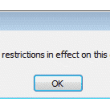
This operation has been cancelled due to restrictions
How to fix the error: "For more info, please contact your help desk" or "This operation has been cancelled due to restrictions in effect on this computer. Please contact your system administrator." comes up when you click on a hyperlink in Outlook and other applications.

Can't import CSV or move Outlook items into EAS Accounts
Solution for error messages when importing into Outlook.com: "Operation cannot be completed because the service provider does not support it"
How Do I Remove My Name When I Print Email?
Outlook doesn't support a way to change or remove the name or message header at the top of the printout but there are some workarounds that will allow you to customize the printout.
Outlook is Sending Winmail.dat Attachments
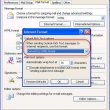
Outlook uses a proprietary email format that only Outlook and Exchange (and a few other clients, including gmail) can decipher. When the recipient doesn't use Outlook, they get plain text message and an attachment named winmail.dat (the attachment icon may be hidden by some clients, including OE and Windows Mail). Any attachments included in the message are encased in the winmail.dat attachment.

Outlook won't open: This functionality requires Internet Explorer 4.0 or above
How to fix the Outlook error "this functionality requires Internet Explorer 4.0 or above" when you have a newer version of Internet Explorer.
Attachment extensions are duplicated
Update November 8 2012 This was fixed in both Outlook 2007 and Outlook 2010 by recently released hotfixes. Outlook 2007 users need to install the Word 2007 hotfix in Description of the Word 2007 hotfix package (Wordconv-x-none.msp, Word-x-none.msp): October 30, 2012 Outlook 2010 users need the Word 2010 hotfix described in Description of the Word

How to repair a damaged Outlook Personal Folders file (pst)
How to repair a damaged or corrupted Microsoft Outlook pst file, personal folder or data file and recover your Outlook email, calendar and contacts. In many cases you can repair your data file using the free Inbox repair tool (scanpst) that Microsoft includes with the Outlook installation.

After viewing the Outbox, messages won't send
Problem: If you view the Outbox while messages are waiting to be sent, the messages are marked as read and won't send. If you open an outgoing message and click Send, it won't send.
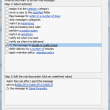
Reply to All Includes My Address
When you have multiple accounts in your profile Outlook sometimes has a problem recognizing who "you" are and includes all email addresses in a Reply to All. Beginning with Outlook 2003, Outlook handles it better and as long as the address the message was sent to is the same one you are replying From for
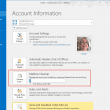
Mailbox Quotas: Your Mailbox is Full
A user complained that he kept getting a message saying his Exchange server mailbox was full. He cleaned out some old mail but could not eliminate the warning message. The first step in addressing this message is to empty the Deleted Items and Junk Email folders. Delete or archive old Appointments and Tasks. Check the
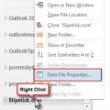
Remove a password from an Outlook *.pst File
How to remove a password from a Personal Folder (.pst) file in Microsoft Outlook.