Beginning with Outlook 2007, rules are stored as hidden files within the *.pst or mailbox file. When you copy the *.pst file to a new computer (or use it with a new Outlook profile) the rules will be available when you use the existing *.pst file as your default delivery location (no need to use import a *.rwz file), although rules that move messages to folders may need to be re-pointed to the folders.
You can (and should) create a backup of your rules using the Export function but won't need it when moving *.pst files to new computers or creating new profiles.
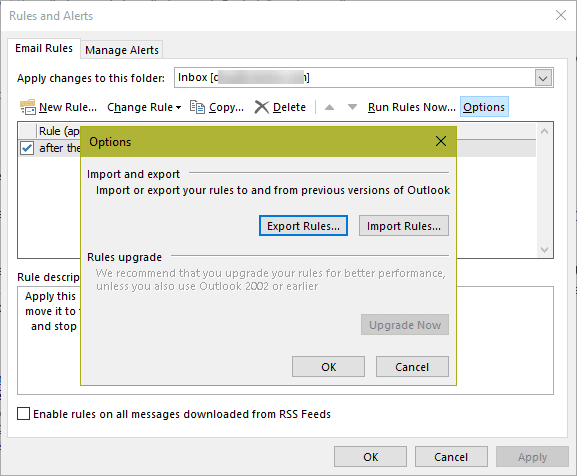
To create a backup copy, open the Rules and Alerts dialog. In Outlook 2010 and newer, its on the Home tab under Move.
Outlook 2003 and older
Rules are stored in .rwz files with the name of your profile. However, just copying the .rwz file to another machine doesn't always work. Instead, export the rules:
- Choose Tools | Rules Wizard, and then click Options.
- In the Options dialog box, click Export Rules, and choose a file location.
Reverse the process to import your saved rules if you need to transfer Outlook to another machine. Always check all the imported rules to make sure they're still active. Sometimes they're deactivated -- especially move or copy to folder rules -- because Outlook can't be sure that the destination folder is the same as in your original rule.

Bethany says
I love your site. You offer the best, most straight forward solutions to every issue and you have helped me more times than I can count. Thank you so much!!!
Diane Poremsky says
You're welcome!!