The articles listed below contain VBA code samples. Additional code samples are listed at Developer Samples
Delete Email from Specific TLDs
I'm often asked how to filter email from certain domains when at least part of the domain name changes. Outlook doesn't support wildcards in rules, so you can't filter newsletters that come from @s1.domain.com, @s2.domain.com etc, or filter spam from .info, .work or Top-level-domain. This sample macro to use with a run a script rule
Process Mail that was Auto Forwarded by a Rule
How to identify or "do something" with a message that was auto forwarded. While the info bar in the message identified it as auto forwarded, it' only visible when the message is selected.
Run a Script: Send Autoreply with Date
These code samples show you how to use a run a script rule to send an auto response, including the received date and when the recipient should expect a follow up response. The first sample uses a template for the reply, the second macro replies to the incoming message.
Outlook's Rules and Alerts: Run a Script
How to use Outlook's Rules Wizard Run a Script action to process messages using VBA. Using Run a Script rules will allow you to use actions not available in the Rules Wizard.
Create new Outlook folders using PowerShell
How to add folders to an Outlook data file using PowerShell, including reading folder names from text file. Also, PowerShell to delete folders listed in a text file.
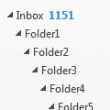
Create Outlook Folders from a List of Folder Names
How to use a macro to create Outlook folders from a list of folder names in a csv file.
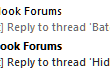
Add a file number or keyword to the subject line of messages
How to add a file number to the subject line of an Outlook message using VBA. (Sample macro included.)
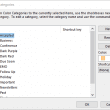
Use VBScript to Export or Import Categories
The VBScripts on this page will export or import a list of your categories for backup and importing into your Outlook desktop mailbox.
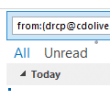
Use Instant search to find messages from a contact
Use VBA to create an Instant Search query for a selected contact or for messages sent to and from an email address. Can use this macro to search for journal items in Outlook 2013.
Create an Outlook Search Folder for Sender
How to use VBA to create a search folder for messages sent to and from the sender of the selected message. VBA code sample included.
Create a List of Color Categories to Merge or Restore
How to use VBA to create a list of your color categories then merge or restore the list to another account using a second macro.
Empty Multiple Deleted Items Folders using a Macro
The scenario: You have several email accounts, each with their own data file and you want to empty the deleted items in every data file with one click. The solution: a macro.
Meeting Request Spam
Spammers discovered a better way to get your attention: meeting requests. A meeting request spam will add a tentative appointment to your calendar (or an accepted meeting, if you autoaccept appointments) and pop up a reminder to get your attention.

Reset reminders closer to Meeting time
Use VBA to reset a meeting reminder to 5 minutes before meeting begins, so you don't forget.
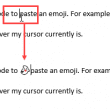
Insert Emoji using VBA
The user wanted to know how to insert an emoji using VBA: Is there a way to create a VBA code to paste an emoji. For example, Unicode 128123? :ghost: I want to insert the text wherever my cursor currently is. Sure, you can do that using VBA. You'll need to use the Word Object