The articles listed below contain VBA code samples. Additional code samples are listed at Developer Samples
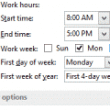
Check start and end times of new appointments
How to use a VBA macro to watch Microsoft Outlook's calendar for new appointments and warn you when the start or end times is outside of your working hours.
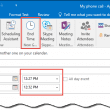
Create an Appointment Diary
Use a macro to record a start and stop time for an appointment to be used as a diary or journal.
Macro to Bulk Import Contacts and vCards into Outlook
Microsoft Outlook does not support importing multiple vCards - you need to import them one vcard at a time. While this is tolerable for a few, its frustrating when you a large number to import. The macro at Move Messages from File System into Outlook Folders bulk imports messages, appointments (msg or ics), or vcards
Create a new Outlook message using VBA
How to create a new message in Microsoft Outlook using a VBA macro.
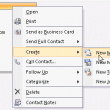
Send an Email to All Addresses on a Contact
How to send an email message to all addresses assigned to a Microsoft Outlook contact.
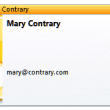
Using VBA to Change Business Card Image & Layout
While you can create a custom form that will apply to all new contacts, the business card image on existing contacts won't be updated. This is to preserve any business cards you may have already updated. If you really want to update the business card image on your contacts, you can use VBA to quickly make the change. We have code samples to change both the card image and the layout with BusinessCardLayoutXml.

Categorize Yammer Messages by Group
How to use a macro to categorize incoming Yammer messages using an ItemAdd macro.
Check Message Size Before Sending
"Is there any way I can set up a warning (or possibly limit) on the size of file I can email? I'm guilty of accidentally sending 13mb files." Sure, you can use VBA to warn you. A very basic warning uses this simple code: Private Sub Application_ItemSend(ByVal Item As Object, Cancel As Boolean) If Item.Attachments.Count
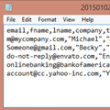
Filter and Save Contacts to a CSV File
How to use a macro to filter and export Outlook Contacts to a CSV file.
Create a journal entry for Word documents in Outlook 2013
I don't recommend that new users start using the Journal, but if anyone who used journal with an older version of Outlook and upgraded to Outlook 2013, can use a bit of VBA magic to autojournal documents.
Send a Task Status Report
Send an Outlook Task update using the Task Update button or customize the update using a macro.
Log Messages and Attachment Names
Kamram was looking for a way to create a log file of messages and their attachments. While you can simply select all messages in a folder and copy to Excel, this won't include the attachment names. Fortunately, picking up the attachment names and creating a new message or sending the data to Excel is not
Use VBA to get an Appointment's Time Zone
Use a macro to add an appointment's time zone name to the appointment as a category or custom field.
Create a Series of Tasks and Appointment
This is another version of the Tasks and Appointment series macros I previously published. This version starts with a contact and asks for the final date (with a default date 60 days from now) then builds tasks leading up to the appointment on that date. The contact's information is added to the task and appointment
How to Create Messages Using Data in an Excel File
Create Outlook email messages using data contained in an Excel workbook OR CSV file.