The articles listed below contain VBA code samples. Additional code samples are listed at Developer Samples

Automatically block off time before and after meetings
Use a macro to automatically add travel time to new meetings on your Outlook calendar.
How to Change the Font used for Outlook's RSS Feeds
If you don't care for Calibri font as the default for RSS feeds, you need to use a macro to change the font (on font size) as the font cannot be changed by the user. We have code samples for both Outlook 2010 and 2007.

Mark Sent Items as Read After Copying with a Rule
When you use rules to move sent messages, the sent items are not marked read when they are copied to other folders. You need to VBA to mark the messages read.

Foward a Message and CC the Original Recipients
A visitor to the Microsoft Answers forum asked about forwarding a message and automatically CCing it to the original recipients.
Clean up the Junk Email folder
How to use Rules or a macro to clear spam from Outlook's Junk Email folder.

Add Attachments and Set Email Fields During a Mail Merge
Use an ItemSend macro to set fields on email merges and include attachments.
Close Outlook using PowerShell
For best results, you should close Outlook before running backup software. $isOutlookOpen = Get-Process outlook* if($isOutlookOpen = $null){ # Outlook is already closed run code here: } else { $isOutlookOpen = Get-Process outlook* # while loop makes sure all outlook windows are closed before moving on to other code: while($isOutlookOpen -ne $null){ Get-Process outlook* |
Bulk Change File As Format for Contacts
Outlook Contacts offer a number of File As formats and this format can be used for the contact's name display in the Address Book. If you want to change the FileAs format on all of your contacts at once, you can use VBA. Complete, ready-to-use code is available.
Adding Birthdays and Anniversaries to Outlook's Calendar
Help managing Contact birthdays that are automatically added by Outlook to your calendar. Included are macros to added birthdays for imported contacts and to change the reminder time.
Process messages received on a day of the week
Use VBA to process messages based on the day of the week or the time of day they were received.
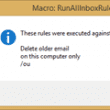
Run all Outlook Rules on Startup
Use an Application Startup macro to run Outlook's client side rules automatically.
Import meetings from a CSV or XLSX file
Use a macro to import data from a CSV or Excel xlsx file to create meeting requests or appointments.
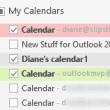
Select Multiple Calendars in Outlook
Use VBA to select multiple calendars in overlay mode. Can deselect iCloud calendars using this code. Code Sample included.
Enable or Disable an Outlook Rule using Reminders
Do you want Outlook to run certain rules during specific time periods, like only overnight, then turn them off when you are in the office? You can use VBA and task reminders to turn your rules off and on.
Use a Default Subject for New Messages
How to use a VBA macro to insert a predefined text into the subject field of a new messages. Method works with any Outlook item type.