These articles are in the Developer and Code Sample categories. These pages often contain only the code, with very little instructions and assume the reader has some VBA knowledge. See How to use the VBA Editor if you need help using VBA.
Additional code samples are at VBA Code Samples
Use VBA to Copy Views
Sub CopyView() Dim Folder As Outlook.MAPIFolder Set Folder = Application.ActiveExplorer.CurrentFolder LooptoCopy Folder.Folders, True End Sub Public Sub LooptoCopy(Folders As Outlook.Folders, _ ByVal Recursive As Boolean) 'Copies a view Dim Folder As Outlook.MAPIFolder Dim objViews As Outlook.Views Dim objNewView As Outlook.View For Each Folder In Folders Set objViews = Folder.Views 'Create copy of View object Set
Create Appointment From Email Automatically
How to use a macro to watch Outlook's Inbox for a message containing appointment details and create a new appointment (or meeting).
Process items in a shared mailbox
You can't run rules on a shared mailbox and client-side rules in a mailbox won't run if Outlook is not open. Use an ItemAdd macro to watch the folder for new items.
Get the Internet Header VBA Code Sample for Outlook
Use VBA code sample to view Outlook's Internet Header.
Create an Appointment Diary
Use a macro to record a start and stop time for an appointment to be used as a diary or journal.

Categorize Yammer Messages by Group
How to use a macro to categorize incoming Yammer messages using an ItemAdd macro.
Filter and Save Contacts to a CSV File
How to use a macro to filter and export Outlook Contacts to a CSV file.
Use VBA to get an Appointment's Time Zone
Use a macro to add an appointment's time zone name to the appointment as a category or custom field.
Create a Series of Tasks and Appointment
This is another version of the Tasks and Appointment series macros I previously published. This version starts with a contact and asks for the final date (with a default date 60 days from now) then builds tasks leading up to the appointment on that date. The contact's information is added to the task and appointment
How to Create Messages Using Data in an Excel File
Create Outlook email messages using data contained in an Excel workbook OR CSV file.
Create an Appointment at the Contact's Address
How to create a new Outlook meeting with a selected contact. Includes a macro to include the contact's address in the Location field.

Change Category when Task is marked Completed
Use the ItemChange event to run a macro when the value in a field is changed in Outlook. In this example, when a task is marked complete, the Category is updated.
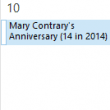
Add the Age to a Birthday on Outlook's Calendar
How to add a person's current age to a birthday event on Outlook's Calendar using a macro.
Macro to Reply, ReplyAll, or Forward and File
Use a macro to file the original message by sender after responding.
Always open Contacts to a specific Contacts folder
Use a VBA macro to always open a specific folder when you switch to a module.