The information contained in this section will help you solve problems with Outlook. While some of the problems are related to bugs (which may or may not get fixed), many of the problems are just how Outlook was designed, which doesn't necessarily fit with how we want to use it. Other problems are caused by the interaction between Outlook and other programs or Outlook add-ins.

Common Outlook Outgoing Server (SMTP) Errors
A list of some of the common SMTP error codes you'll see in Outlook and possible solutions.
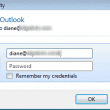
Enter Network Password Dialog Keeps Popping Up
If the Enter Network Password dialog box is constantly coming up with a send and receive error, including for AT&T or Yahoo email accounts, try these solutions.
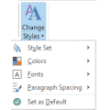
Messages are Double Spaced for the Recipient
When messages are double spaced for the recipient, you need to customize your paragraph settings.

Outlook's Persistent Choose Profile Dialog
We're seeing reports, most often from users using Google's Calendar sync utility, that Outlook's Choose Profile dialog comes up every 10 minutes or so. Other addins that access Outlook data may also cause this problem. The cause: the program is trying to access Outlook's data and either doesn't know which profile to use or Outlook
RMS Error: System clock has been tampered with
Error reading RMS Protected Messages in Outlook: System clock has been tampered with A user had a problem trying to open email protected by rights management. When he tried to open the RMS protected mails in Outlook, he kept receiving an error: "System clock has been tampered on the machine. Reset it and try again
Phone Number Formatting for Outlook and Smartphones
Some smart phones are unable to dial numbers that contain other characters, including the plus sign Outlook adds to phone numbers. Learn how to prevent Outlook from formatting phone numbers.
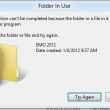
Can't Rename Windows Folder: Folder in Use Error
After saving or inserting and Outlook attachment, you can't rename the Windows folder and receive a Folder in Use error. This is a common Outlook problem and easily solved.
Exchange Account Gets Set as the Default Account
When you have an Exchange Server account in Small Business Server 2003 and Outlook is configured to use the POP3 account as default some users discover the SBS Exchange account is reset as the default account every time they reboot. This is caused by the SBS2003 logon script that configures the client computers when the
AutoArchive is missing in Outlook
The Outlook AutoArchive function is disabled after enabling online archiving. Is there any way to get this back? Some of our users have multiple email accounts, and although O365 online archive works for the exchange online accounts, we still need outlook archive to manage other mailboxes. AutoArchive is missing in Outlook was last modified: October
Meeting Request Forwards Crash Outlook 2003
A reader has this question "I have a small number of users who, when they receive an email notification that a meeting request they sent has been forwarded to another user, Outlook crashes. We are using Exchange 2007 and Outlook 2003." A new feature in Exchange 2007 will deliver a notification to the meeting organizer