The information contained in this section will help you solve problems with Outlook. While some of the problems are related to bugs (which may or may not get fixed), many of the problems are just how Outlook was designed, which doesn't necessarily fit with how we want to use it. Other problems are caused by the interaction between Outlook and other programs or Outlook add-ins.
Can you recover messages sent while 'Save sent messages' was disabled?
An administrator has a problem. They inadvertently set a group policy that disabled the option to saved sent items and would like to recover copies the messages that were sent during the short period of time the policy was in effect. Unfortunately, its not possible to recover the sent items from Exchange server unless journaling

Outlook could not create the work file
The “Outlook could not create the work file. Check the temp environment variable.” error is more common after an upgrade of the operating system. It's the result of a corrupted temporary internet cache variable, possibly caused by the upgrading the OS or using Easy Transfer to move settings to a new computer. Fixing it is
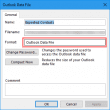
Repair a Large Outlook Personal Folders File (over 2GB)
Microsoft Outlook limits the size of older Personal Folders .pst files and offline folders .ost files to 2GB. If a new or changed item increases the size over than limit, you will not be able to use the .pst or .ost file. Even if you delete items from the server mailbox, the .ost file will not synchronize.
Problem: Do you want to save changes?
When you open or view a message that contains graphics or open an attachment and a message similar to this: "The properties of the message "subject" have been changed. Do you want to save changes to this message?" when you haven't changed anything other than read the message. When the message is HTML format with

Outlook and iCloud: What you need to know
Using iCloud: Syncing Outlook Calendar, Contacts, and Tasks with iPhone and iPad.
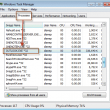
OUTLOOK.EXE continues running after you exit Outlook
Problem: After closing Outlook, it continues to run. Outlook can't close properly if another application is accessing Outlook's message store and you need open the Task Manager and End Process.
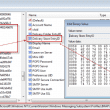
What is a .pstst file?
Sometimes Outlook creates a file with the extension pstst. This is not a valid Outlook file and means the profile is corrupt. You can edit the registry to remove this file from the profile if you don't want to make a new profile.
Outlook is creating "Appt Aux Flags" folders in the Archive Folder
Users are reporting that Outlook is creating folders named “Appt Aux Flags” in their Archive folder. It's not Outlook's doing, these folders are created by the Norton AntiSpam Outlook add-in and disabling the add-in eliminates the problem. Once you’ve put a stop to the creation of these folders, deleting them can be a hassle because
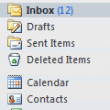
Change the Folder sort order in Outlook's Folder list
The Folder List is normally in alphabetical order. In Outlook 2010 and 2013, the Inbox, Drafts, Sent Items, and Deleted Items folders are grouped at the top of the folder list, with the user-created folders sorted alphabetically below.
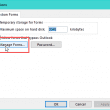
The custom form cannot be opened. Outlook will use an Outlook form instead.
Problem: after importing messages from Windows Mail to Outlook, you receive the following error message when reading email:
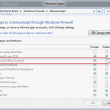
Outlook won't Connect to Outgoing Server
When Outlook won't connect to the outgoing server, it's usually because the firewall is blocking Outlook. This can happen with any firewall and seems to be most common after an update is installed. This is often because the Firewall is checking the Outlook version, not just for Outlook.exe. Task 'alias@domain.com - Receiving' reported error (0x80042108)
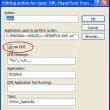
Use FireFox as the Default Browser to Open Links
How to fix the "Locate Link Browser." error when clicking on links in Microsoft Outlook.