The articles listed below contain VBA code samples. Additional code samples are listed at Developer Samples
Copy meeting details to an Outlook appointment
This macro copies a meeting request to an appointment. Why would you want to copy a meeting? In my case, to add it to the calendar that syncs with my blackberry. If I forward the meeting, my Blackberry address is exposed to the organizer. Meeting organizers might want a copy they can use to block off time before or after the meeting, or to use for meeting notes.
Selectively change message format when replying
How to change the message format on selected messages when replying. You can also use a Run a Script rule to change the message format as messages arrive.
How to automatically print sent messages
How to use a macro to send a message and print the sent email with a click of the button.
Create Outlook appointments using multiple recurring patterns
How to use VBA to create recurring appointments in Outlook that have two patterns, such as first and fourth Monday.
How to create preaddressed messages
Do you send a lot of messages to one person or group and want to make it easier to address a message to those addresses?
Running a macro when an Outlook form is opened
I would like to do something every time an Outlook item is opened. Is there a way to create a macro that would run every time an item is opened? Sure, you can use the Item_open function to run vbscript. You can't do everything with vbscript that you can do with VBA, so you won't
Prevent changes to views in Outlook
Public Sub SwitchView() Dim Bars As Office.CommandBars Dim Popup As Office.CommandBarPopup Dim Btn As Office.CommandBarButton Dim ViewName As String ViewName = "Einfache Liste" ViewName = LCase$(ViewName) Set Bars = Application.ActiveExplorer.CommandBars Set Popup = Bars.FindControl(, 30124) If Not Popup Is Nothing Then For Each Btn In Popup.Controls If LCase$(Btn.Caption) = ViewName Then Btn.Execute Exit For End
VBA: No attachments to CC'd recipients
Use this macro to send an attachment to email addresses in the To line and CC others with just the message and a list of attachments, and the To: recipients.
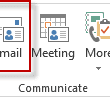
New message to selected contacts using the BCC field
Use this macro to send an email message to the selected contacts. While you can use the Email button (Actions or Create > New Email Message to Contacts in older versions) to address the message to the selected contacts, the addresses are placed in the To field. You need to select all, copy and paste to move them to the BCC field.

Outlook Developer Resources
Outlook developers will find the utilities and resources listed on this page helpful when they are developing add-ins for Microsoft Outlook. Outlook Developer Resources was last modified: July 8th, 2012 by Diane Poremsky
New Message From Sender
This macro demonstrates how to pick up the sender's address and use it for a new message. This was put together for a user who wanted to send email using the address of one of several shared mailbox automatically.
Add a reminder to Birthday Events
How to use VBA to set a reminder on Birthday events. This macro runs when Outlook starts and watches for new birthday events to be added to the default calendar.
Do you want to send an attachment?
Use VBA to check Outlook's outgoing messages for attachments and cancel the send if some of the recipients should not receive the attachment.
Save Messages as HTML
Many users want to save Outlook messages to the hard drive in HTML format, so they can have a universal archive. I was to save email in HTML format. Doing a "save as" on the email creates the HTML files I want but I can't select multiple emails and save them. When I do, it