The articles listed below contain VBA code samples. Additional code samples are listed at Developer Samples
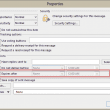
Set an expiration date on all messages you send
How to use VBA to automatically add an expiration date to all messages you send using Microsoft Outlook.
Clear SecureTempFolder automatically using VBA
Use a VBA macro to delete the SecureTemp Folder used by Microsoft Outlook.
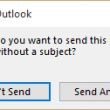
Disable Outlook's No Subject Warning using VBA
VBA Macro to disable Outlook 2010's No Subject warning message.

Using Arrays in Outlook macros
Carol asked how to add a category to tasks she is creating with the macro at Create a Task from an Email using a Rule. Using that task macro as the example, it's easy to add a category if you want the same category for all tasks - just place this line before the objTask.Save
Copy Recurring Appointment Series to Appointments
This Outlook macro removes the need to export and import using Excel or CSV files when you want to end a recurring appointment that has exceptions early (or add an end date.)

Publish a custom form in another user's mailbox
Publish a template to another user's mailbox using a macro or a custom form.
Start Outlook using a different VBA Project file
How to start Microsoft Outlook using a different VBA Project file.
Use VBA to read fields in attached messages
How to use a macro to get the sender, subject and other fields from a message sent as an attachment.
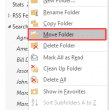
Move Outlook Folders using VBA
Use a macro to move folders to a new parent folder instead of selecting the folder and using the Move command to open the Folder picker to select the new parent folder.

Print Contacts and Contact Photos
Use VBA to create a Word document containing the selected contact's name, address, phone number and contact photo.
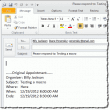
Send an email to attendees who have not responded
A common question is how to send a message only to meeting invitees who have no yet responded to the meeting request. While Outlook doesn't include this feature, you can easily do this using VBA.
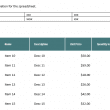
Copy data from Outlook email tables to Excel
What I'm looking for is to grab the table data and dump it in the same work book and sheet as new emails come in. Using the macros on this page, when table data is received in an email, the table can be copied to an Excel worksheet. This sample email has two tables (and
Save and Open an Attachment using VBA
How to save attachments and then open the attachments without opening Windows Explorer to find the attachment.
Create a Letter to a Contact using VBA
How to replicate Outlook's New letter to Contact feature using a custom template (and a macro).
Add a Category to Contacts in a Contact Group
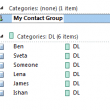
Identifying which DL's a contact belongs is not an easy task. Use this code sample to add a category to contacts who are a member of an Outlook contact group (distribution list) and you can see at a glance what contact groups they belong to.