These articles are in the Developer and Code Sample categories. These pages often contain only the code, with very little instructions and assume the reader has some VBA knowledge. See How to use the VBA Editor if you need help using VBA.
Additional code samples are at VBA Code Samples
Use a run a script rule to mark messages read
A simple run a rule script marks Outlook messages read when the message body begins with certain words.
Personalize messages using the recipients display name
You can use macros to fill in merge fields, either pulling from contacts or as the macros below do, from the display name in the To field. I send emails created from templates all the time but I still have to type in the greeting every time. Is there a way to get the names
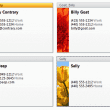
Change the image on a Business Card based on the Category
Use VBA code to change the image on Outlook's business cards to match an image for a category. Works with other fields too, such as company.
Save and Delete Attachments from Outlook messages
The following is the Save Attachment code sample from Teach Yourself Outlook 2003 in 24 Hours. (It works in current versions.) Frank modified the code to break it into a single call for each mail item so you can use it with a rule to filter incoming mail. Augusto modified Frank's code "in order to avoid
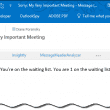
Close a Meeting When the Room is Full
A user had a request: an automated way of telling people a meeting full. It's not an unusual request, 3 or 4 people ask me how to do this each year. This time it sounded like a fun project to do. I am in charge of organizing meetings for my company (150+ people). However, depending

Macro to Move or Copy an Outlook message to another folder
A user had this question: I want to do the following: Copy a message from one public folder to another public folder Mark the original message as read Mark the original Complete Add a Category to it A Quick Step will categorize the e-mail first (it has a higher priority) and both the actual e-mail
Use a macro to open the Calendar to appointment date
Macro to replace the Go To Date feature of Outlook's Calendar. From an open appointment, run the macro. The calendar opens to the date of the appointment.
Get Flag Completed Time
A visitor to Slipstick Forums had a problem: I need to count the inbound traffic by inbox/day and check whether the email was marked as complete (Flag Completed Date and Time). I can get the time when I copy and paste from a folder to Excel but there are a number of folders to process
VBA: File messages by client code
The problem: a user needs to file messages from clients in a specific folder, which is the clients accounts number. Moving the messages manually is time consuming but using a macro makes it easy.
Use VBA to Export Exchange GAL to Excel
A VBA code sample to export Exchange GAL entries to an Excel worksheet.
Set a reminder on selected items in the To-Do List
Use a macro to set the reminder time on selected items in the task or to-do list.
Delete attachments from messages
How to keep the name of an attachment in a message after using VBA to remove the attachment.
Delete items from a public folder
Outlook VBA code to delete the contents of a specific public folder or public folders.
Use a macro to Reply with boilerplate text
Use an Outlook VBA macro to reply to messages with specific text in the subject and message body as well as CC and BCC it to other members of the team.
Change the email account on received email
After importing messages into Outlook, they may display the wrong email account. You can use a macro to change the account shown in the Email Account field.