These articles are in the Developer and Code Sample categories. These pages often contain only the code, with very little instructions and assume the reader has some VBA knowledge. See How to use the VBA Editor if you need help using VBA.
Additional code samples are at VBA Code Samples
Paste clipboard contents using VBA
Although Outlook VBA doesn't include a paste from clipboard function directly, you can use the MSForms dataobject to transfer the clipboard contents to a string which is then called from VBA.
Use a macro to create a rule to move messages
How to run macros triggers by reminders, update rules using macros, and more.
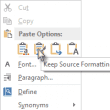
Paste Formatted Text Using VBA
Use Microsoft Word’s ‘use source formatting’ paste command to paste formatted text into an Outlook item body.
Send email from another address using VBA
Use VBA to send an email using a Exchange server distribution list address you have Send as permissions for.
Replace Display Names with Email Addresses
Use an ItemSend macro in Outlook to replace display names on messages with the email address as the message is sent.
Remove prefix from Gmail meeting invitations
Use Outlook VBA to remove the words Invitation and Updated invitation from meetings received from Gmail users.
Move email items based on a list of email addresses
This code sample shows how to load the contents of a text file into an array then use the array to do something, in this example, to move messages to a new folder.
Move New Appointments and Contacts to iCloud
This macro is used to move new appointments, meetings, and contacts from the default calendar and contacts folders to the iCloud folders. In most cases, it will work "out of the box" but if you changed the name of your iCloud calendar, you'll need to fix the name in the macro. Dim WithEvents imapCalendar As
Create Task or Appointment and Insert Selected Text
An Outlook user wanted to know how to create a task from an email message but only include the actionable part of the message in the task. Easy: drag the selection to the Task or Calendar folder or use a macro.

Create Tasks from Email and move to different Task folders
Use this macro to create tasks from email messages and move them to different task folders.
Create an Outlook Appointment from a Message
A VBA code sample that creates an appointment from an email message and adds it to a shared calendar or a calendar in another data file.
How to set a flag to follow up using VBA
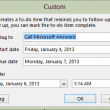
You can edit the Flag to Follow up field text each time you flag a message, but you can't save the changes permanently, or even temporarily in an MRU list. However, you can use VBA to set flags, which will allow you to save custom Flag to text, as well as custom reminder times and start or due dates.
Update Contacts with a New Company Name and Email Address
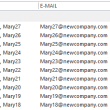
It can be a real hassle to update contacts when a company changes their name and domain. While it's actually really easy to change the company name by using group by company view and dragging contacts to a new group, you can't change the email address field using this method.