The articles listed below contain VBA code samples. Additional code samples are listed at Developer Samples
Display the recipient addresses in an Outlook Email
I want to add a column to my Inbox showing the recipient's email address. I have many email accounts and want to quickly see the recipient mail address to check if the message looks legitimate before opening it. There are several ways you can do this. If each address is a separate Outlook account you
Create Birthday Events for Public Folder Contacts
How to use a macro to create recurring birthday events for contacts in shared calendars in Microsoft Outlook.

View Messages in Internet Explorer using a macro
This code sample saves the selected message as an HTML files and displays it in Internet Explorer. To use: select a message and run the macro. If more than one message is saved, only the first message is saved and opened in Internet Explorer. Sub ViewInBrowser() Dim oApp As Object Dim FSO As Object Dim

Mail merge to members of a contact group
How to use VBA to mail merge (send individual messages) to members of a Contact Group.
Always open Contacts to a specific Contacts folder
Use a VBA macro to always open a specific folder when you switch to a module.
Work with selected items
Sub UseSelection() Dim currentExplorer As Explorer Dim Selection As Selection Dim obj As Object Set currentExplorer = Application.ActiveExplorer Set Selection = currentExplorer.Selection On Error Resume Next For Each obj In Selection Set objItem = obj With objItem ' do whatever .Save End With Err.Clear Next Set Session = Nothing Set currentExplorer = Nothing Set obj
Find the next workday
Function NextWeekDay(dateFrom As Date, _ Optional daysAhead As Long = 1) As Date Dim currentDate As Date Dim nextDate As Date ' convert neg to pos If daysAhead < 0 Then daysAhead = Abs(daysAhead) End If ' determine next date currentDate = dateFrom nextDate = DateAdd("d", daysAhead, currentDate) ' Check for holidays entered as mm/dd/yyyy

Read and change a registry key using VBA
The basics of reading and changing a registry key using VBA.
Create a custom printout in Outlook
How to use a macro to create a custom printout in Microsoft Outlook.
Macro to Create an Outlook Contact from an Email Message
Use a macro to create Outlook Contacts for people who sent an email message. Save the contact to the default Contacts folder or to a different Contacts folder.
Find messages in a conversation
When you use Instant Search to find messages from a person, the results contain only messages from that person, not all messages in the conversation. You can use a macro to create an Instant Search that includes messages to and from the sender of the selected message.
Check messages you send for number of recipients
A macro that checks the number of recipients on an outgoing Outlook message. If there are "too many", it asks if you want to send the message.
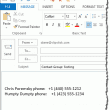
Create a list of Contact Group members and their phone numbers
How to create a list of contact group (distribution list)members and their phone numbers using an Outlook macro.
Select a name in a Word document then create a Contact
How to use a macro to capture a name and email address in a Word document (such as a resume) and create a contact for that person.