Outlook doesn't offer a way to print a list of folder names. Your choices are to do a screen print or use a "macro". If you use a full featured screen capture program such as Snagit, you can copy an entire scrolling window and paste the text into Notepad.
You'll need to configure the screen capture program to capture scrolling windows and then to convert it to text.
A macro to list folder names in a new message is at "Print a list of your Outlook folders".
When you capture the folder size list, you'll capture the unread message counts (in the folder list) or the full folder path and size in the folder size list in addition to the folder names.
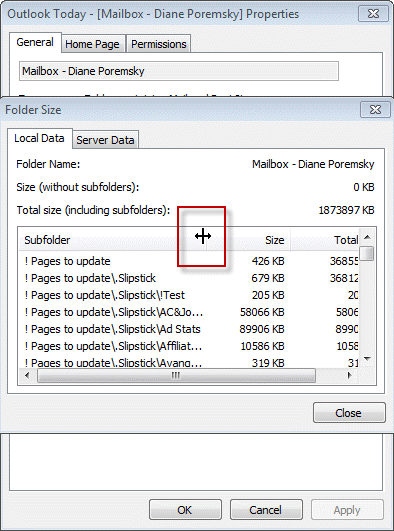
Note if the folder path is long, make sure you expand the folder name column before doing the capture. SnagIt will only capture the visible contents of the window. (The column line is hard to see but the expand cursor is shown in the screen shot.)
More Information
Snagit - 30 day free trial available

Your video is exactly what I need but it does not reflect the current version of snagit - I see no way to capture text. There is no input menu nor capture menu to select from in SnagIt 13.0
Right click on the snagit icon in the notification tray, if scrolling window is not in the preset list, open the capture window and create a new image preset for scrolling window.