Some users report receiving this error:
Failed to open message store.Microsoft Office Outlook Offline Folders [269287937] : The file C:\Documents and Settings\username\Local Settings\Application Data\Microsoft\Outlook\outlook.ost is in use and could not be accessed. Close any application that is using this file, and then try again. (Error: 0)
This error affects Outlook users who link to a SharePoint calendar to Outlook. If you remove the calendar from your profile, you will eliminate the error.
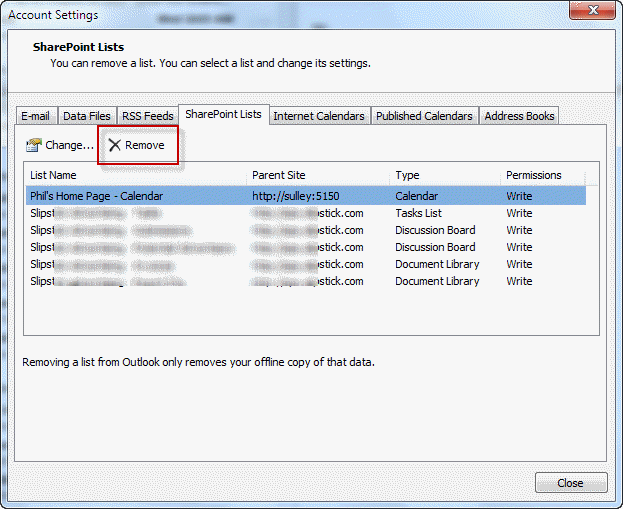
Go to Account Settings, Sharepoint Lists tab and select the SharePoint calendar then click Remove to delete the subscribed calendar from your profile.

Leave a Reply