An Outlook user had this question:
I upgraded to Outlook 2007 & I'm missing a feature that was in Outlook 2003: right-click a contact to create an appointment for them & have this stored in the contact's activities tab. How do I do this in Outlook 2007?
In Outlook 2007, Outlook 2010, and Outlook 2013, the new message and meeting with contact commands were moved to the Create menu on the context menu.
Right click on the Contact and choose Create to access the commands.
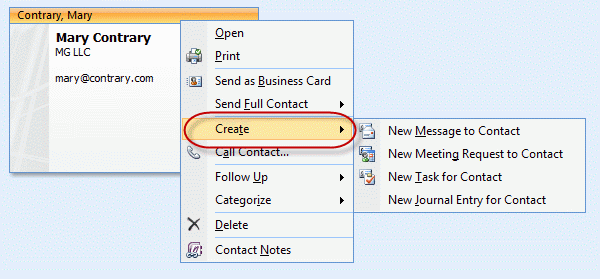
You can also select or open the Contact and use the Actions, Create menu in Outlook 2007.
In Outlook 2010 and newer, select the contact and use the commands on the Communicate chunk on the Home ribbon.
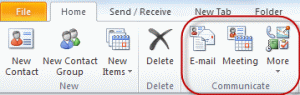
If the contact is open in either Outlook 2007 or Outlook 2010 (or newer), use the commands on the Communicate chunk on the "Contact" ribbon.
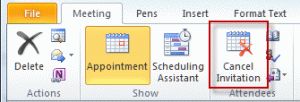
Tip: To convert a meeting request to an appointment, click the Cancel Meeting button. This will remove the invitation portion but leave the contact linked to the appointment, so you can see it in Activities or in the People pane.

Irina says
Hello Diane,
I have the following problem - Auto Complete works for the names/emails that I am entering in To/Cc/Bcc, I mean it lists the ones I have already sent emails to. However neither the Tab key, nor the Enter key, nor selecting one of the suggested addressee with the pointer+click actually insert the addressee in the To/Cc/Bcc field. I have looked at every setting I can think of, then searched the Internet for an answer, all to no avail... Do you have any suggestions as to what may be causing this, or rather, how to fix the darn thing, because seeing all the suggested addressees and not being able to pick any of them is very frustrating, as every time I have to either type in the email address I want to send a message to, or go to To/Contacts and insert it from there (also annoying time-eater). I appreciate any help you can provide!
Irina
Diane Poremsky says
I'd start with a repair of the office install (control panel, program and features) and if that doesn't fix it, look at other programs that might be interfering.