This section contains information about Microsoft Outlook Tasks, the To-Do list, and To-Do Bar.
Beginning with Outlook 2007, the taskpad is replaced by the To-do bar, which is visible in all Outlook folders. In addition, the Calendar folder has a Daily task list, which replaces the taskpad in older versions.
In Outlook 2013 and newer, the To-do Bar is replaced with "peeks" which can be docked (or pinned) on the right as a To-Do Bar. These are pinned per folder type, so you can show the calendar and tasks while viewing mail folders but not in the other modules.
The "tasks for the selected day" view is not available in current version of Microsoft Outlook.
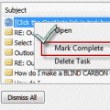
How to use Outlook Tasks
Learn how to use Microsoft Outlook Tasks. Common questions answered. Learn how to use assigned tasks, move tasks, mark tasks complete and keep the reminder.
Can't Accept or Decline Tasks
When you send tasks to someone, the recipients needs to use Outlook to accept or decline the task. If the recipient receives a plain text message, your mail server is removing the TNEF data that tells Outlook it's a task. If you are using Exchange server, the Administrator may have the server configured to remove
Change the look of the TaskPad in the Calendar
Outlook 2007 and newer show a task list at the bottom of the dates in the Calendar's day or week view as well as the task list in the To-Do Bar. You can change the view by right clicking on Arrange By and choosing a new view. The task list at the end of the
Task Request Status Update Address Missing
Outlook 2016 returns an error message when you mark an assigned task complete and the status update message does not include an address in the To field.
Filter the To-Do List to Show Only Tasks
How to create a custom filter to show only Tasks in the To-Do Bar folder.
Create a Series of Tasks using VBA
Using VBA, you can automatically create a series of Outlook tasks based on a task or appointment. You can create the tasks leading up to an appointment or task or following an appointment or task.
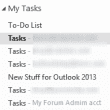
Always use Tasks, not Outlook's To-Do List
How to use VBA to always select the desired Task folder when you open the Tasks navigation pane.
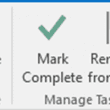
Tasks: Remove from List or Delete?
Using Remove from List, Delete, or Complete in Outlook's To-Do List.
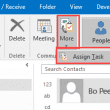
Outlook Tasks are saved to the Inbox
Issue: When you select a Contact then use More, Assign Task to create a task, the task saved in the Inbox.
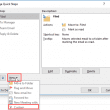
Create a Task from a Message and include the Attachment
How to create a task with a message attached using Outlook's Quick Steps.
Creating Outlook Tasks "x" Days from a Date
How to calculate dates in Outlook Tasks and create a series of Outlook Tasks based off of one date.

Create a Series of Tasks Leading up to an Appointment
The code sample on this page creates tasks from a selected appointment, with each task due in the days leading up to the appointment.
Syncing Outlook Tasks with Hotmail and Windows Phone
Outlook 2013's Active Sync support "fixes" this problem - task sync to Outlook.com and to the mobile devices that sync with Outlook.com. We get the occasional question asking when the Outlook Connector will support syncing Tasks with Hotmail. Over the past several weeks, I've had several users ask if the Hotmail Connector is going to
Calculate Days Overdue and Days to Complete Tasks
Outlook doesn't track extensions and date changes, but you can view the number days overdue and days to complete each task using custom fields.
Open a Webpage when a Task Reminder Fires
This simple macro uses a Task to open a web address in Internet Explorer when a reminder fires.