The Email section at Slipstick covers general email issues in Outlook. Some of the more common problems are linked below.
Usage | Problems & Limitations | Troubleshooting | More Information
Usage
- Add Attachments and Set Email Fields During a Mail Merge
- Adding an Image to a Signature
- Automatically BCC All Messages
- Change the Subject of an Incoming Message
- Changing the Reply format revisited
- Check Message Size Before Sending
- Choosing the Folder to Save a Sent Message In
- Designate the Account Used to Send a Message
- Download Only Messages Smaller than 30kb
- Find All Unread Messages
- To Change the Font on Incoming Messages
- To Change the Look of Outlook Replies
- To Work with Outlook While it's Getting Messages
- Understanding Outlook's Auto-Complete Cache (*.NK2)
- Understanding the Flag for Follow Up Reminder Time
- Using Automatic name checking or Autocomplete
Microsoft Knowledgebase articles
- Send To Mail Recipient Opens an Outlook Plain Text Message
- Add and request read receipts and delivery notifications
Problems & Limitations
- Do You Want to Send This Message Without a Subject?
- Help! Every email I send has two unknown attachments
- Messages are Double Spaced for the Recipient
- Setting Margins when Composing Email
- To Use Internet-Style Quoting
Microsoft Knowledgebase articles
- E-mail messages are not automatically sent or received at startup in Outlook
- "Send Time" time stamp information is incorrect when you send a delayed delivery message in Outlook
Troubleshooting
- Adjusting Outlook's Zoom Setting in Email
- Can't Rename Windows Folder: Folder in Use Error
- Outlook is Sending Winmail.dat Attachments
Microsoft Knowledgebase articles
Addins and Utilities
The following pages contain lists of add-ins and utilities.

How to Block Foreign Spam
How to block junk email that is in a foreign language, in Outlook for windows or Outlook on the web (and new Outlook for Windows.)
To Set the Default Fonts for Email
In Outlook, the fonts can be set using styles or in the Stationery and Fonts dialog. The font for new mail messages is used for composing HTML email and in the notes field of calendar, contacts, and task items. The font for composing and reading plain text messages is also used when ‘read as plain
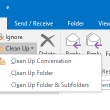
Using Outlook's Clean Up Tool
Use Clean Up commands to move redundant messages to the Deleted Items folder or a folder of your choice.

Send Individual Messages when Sending Bulk Email
A very common question on forums and mailing lists is how to send email to many people without exposing all the addresses to all of the recipients. I have a distribution list with many contacts. When I send an email to the entire distribution list, I do not want everyone's email being in the TO:
Filing Outlook Email Messages
How to use Move to Folder commands, Quick Steps, or Run Rules Now to file email messages. Or use fewer folders and Instant search or Search folders to find messages.

Automatically BCC All Messages
Outlook doesn't have a built in method you can use to automatically include yourself (or other email address) in the BCC field when you send a new message. You can use Rules Wizard to CC and address but not to send a BCC.
Moving Outlook's auto-complete address list to a new account
How to migrate auto-complete addresses to the new accounts in Outlook 2010 and Outlook 2013.
Using Automatic name checking or Autocomplete
May 3 2021 There is a bug in a recent Office update that causes the autocomplete list to go up, not down. The DisableAutoCompleteUpdate registry key may be the trigger for that specific behavior. There are other issues with the updates relating to how autocomplete works. All versions of Outlook support automatic name checking, also
Understanding Outlook's AutoComplete Cache
Outlook stores recently used email addresses in a nickname or autocomplete cache. This article helps you understand how the nickname autocomplete cache works and explains remove names from this autocomplete list and where to find the list.
Using "Boilerplate text" Templates
Many users who need to send out a standard reply on a regular basis save a copy to Drafts then try to figure out ways to reuse the draft. While this is not the best method for reusing boiler plate messages, if you choose to do it this way, copy the draft (select it, Ctrl+C,