What does safe mode disable? All add-ins and files used only by the user account or profile, such as the Navigation pane and Send & Receive settings, reverting these to Outlook's default for a new installation. Autocomplete is turned off (it comes back when you reopen Outlook normally).
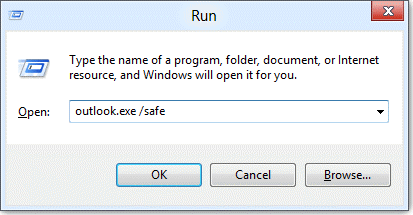
There are two ways to go into Safe mode: you can Ctrl + click on your Outlook shortcut or type outlook.exe /safe into the search field on the Start menu or Taskbar, or open it using the Run command. (Use Windows key + R to open the Run command).
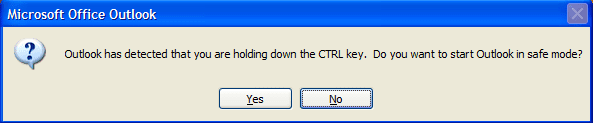
When you hold Ctrl key and click the Outlook shortcut to open Outlook, you'll be asked if you want to start Outlook in Safe mode:
Outlook has detected that you are holding down the CTRL key. Do you want to start Outlook in safe mode?
More Information
Additional Safe switches you can use with Outlook 2003 and up are:
/safe:1 Starts Outlook with the Reading Pane off. Outlook 2003 and up.
/safe:2 Starts Outlook without checking mail at startup. Outlook 2003 only.
/safe:3 Starts Outlook with extensions turned off, but listed in the Add-In Manager. Outlook 2003 and up.
/safe:4 Starts Outlook without loading Outcmd.dat (customized toolbars) and *.fav file. Outlook 2003 only
