|
|
Exchange Messaging Outlook
Volume 6, Number 3
|
 |
|
|
Greetings! Welcome to Vol. 6, No. 3, 30 May 2001, of Exchange Messaging
Outlook, a biweekly newsletter about Microsoft Exchange and
Microsoft Outlook.
Today's highlights:
- Office XP launch
- Getting to know Outlook 2002
- MEC registration open
Regular features:
- Latest Outlook-related viruses
- New utilities
- Updated utilities
- Other new resources
Office XP launch
Office XP goes retail tomorrow, with launch events around the
world. I'll be attending the one in Washington, DC.
In anticipation, Microsoft has already revamped the Office Update
web site, transforming it into the Microsoft Office Tools on the Web
site, now at
http://office.microsoft.com/. (We'd like to thank the Office
webmasters who saw the sense of putting in redirects for many pages
from the old Office Update site and helped us update all the links
from out slipstick.com pages.)
As of tomorrow, the main Office page at
http://www.microsoft.com/office/ should also be full of new
Office XP information.
Getting to know Outlook 2002
Whenever you move to a new city or even just across town to a new
house, it takes some time to get used to your new surroundings. So,
here's a short list of things you may want to do when you first
install Office XP or Outlook 2002:
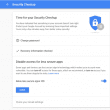
Change the file attachment blocking feature to allow access
to those files that you find essential, but Microsoft considers
potentially dangerous. Blocking is controlled by a Windows registry
entry. You can download a free COM add-in to change the registry
setting at
http://www.slipstick.com/outlook/esecup/getexe.htm#ol2002.
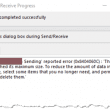
Check the Send/Receive group settings to make sure your
accounts are organized the way you want. Use Tools | Send/Receive
Settings | Define Send/Receive Groups. In particular, if you use
Exchange Server with an offline folders file, you can configure
which folders are available offline and whether Outlook synchronizes
when you exit.
Explore the new calendar color coding feature. This was one
of the most requested additions to Outlook 2002. You can now color
calendars in the day, week or month view either manually or with an
automatic formatting rule. I've posted detailed information, with
screen shots and lots of tips, at
http://www.slipstick.com/calendar/colorcal.htm#ol2002.
Locate the dialogs that replaced the Tools
| Services configuration settings for Outlook 97 and
Corporate/Workgroup mode in Outlook 98 and 2000 and replaced the
Tools | Accounts dialog in Internet Mail Only mode in Outlook 98
and 2000. The necessary settings are no longer concentrated in one
location. In Outlook 2002, you manage mail accounts, add or delete
address books, and change the default delivery location with the
Tools | E-mail Accounts command. To add, remove, compact or add
passwords to Personal Folders files, use File | Data File
Management. To change the settings formerly found in Tools |
Services | Addressing, such as the name resolution order, choose
Tools | Address Book, then Tools | Options. To change
the sort order for the Outlook Address Book, choose Tools |
E-mail Accounts | View or change existing address books or
directories, select the Outlook Address Book, and then click
Change.
Set up Hotmail and MSN accounts for use with
Outlook 2002. These are currently the only HTTP mail services that
Outlook 2002 supports.
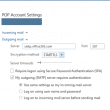
Adjust the settings for any POP/SMTP accounts
that require you to log on to your POP server before sending via
SMTP. Outlook 2002 adds support for this configuration. See
http://support.microsoft.com/support/kb/articles/q289/9/45.ASP.
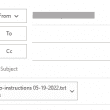
Get used to the new AutoComplete feature that
remembers what addresses you recently sent messages to, much as
Outlook Express does, as prompts you with a list as you type in the
To box of a new message. If Outlook offers an address that is not
longer valid or that you don't want to see in the pop-up list, use
the arrow keys to select the address, then press Delete to remove
that name from the AutoComplete list.
MEC registration open
Registration is now open for MEC 2001 in Orlando, Florida, Sept.
30 - Oct. 4. Exhibits open Sept. 30, with conference sessions
beginning Oct. 1. Microsoft is now billing MEC as the "premier
Exchange, Windows, and .NET Enterprise Servers event." Register at
http://www.microsoft.com/MSCorp/corpevents/mec2001/reg.asp
by August 24 to get a discount.
MEC Europe will take place in Nice, France, Nov. 6-9. The web
site at
http://www.microsoft.com/europe/mec/ is expected to
have registration details any day now.
MEC Japan will be in Tokyo, Aug. 14-17. No registration site yet.
Latest Outlook-related viruses
Your system cannot become infected by these viruses unless you
open the file that the virus sends as an e-mail attachment to
propagate itself:
I-WORM.GUORM
This non-destructive virus can arrive as a VBScript, .exe or Word
.doc attachment and sends itself to all Outlook address list
entries. See
http://www.viruslist.com/eng/VirusList.asp?page=0&mode=1&id=4043&key=00001000130000100026
VBS.NASARA.A@MM
This destructive virus attempts to spread itself via simple MAPI,
CDONTS or Outlook, and on May 31, attempts to delete the entire
contents of the C: drive. See
http://www.symantec.com/avcenter/venc/data/vbs.nasara.a@mm.html
VBS_NOPED.A
This non-destructive VBScript virus replies to messages found in
Outlook folders. See
http://www.antivirus.com/vinfo/virusencyclo/default5.asp?VName=VBS_NOPED.A
W95.BUGGY.WORM@MM
This non-destructive VBScript virus uses code copied from the
VBS.Newlove.A to send itself to every entry in every Outlook address
book. See
http://www.symantec.com/avcenter/venc/data/w95.buggy.worm@mm.html |
 |
|
New Utilities
|
5GM
http://www.5gm.com/home/index.htm
Server-based secure e-mail application that supports proof of
delivery, authentication, digital signature, attachment
filtering, and other features.
ACT-TO-OUTLOOK CONVERT
http://www.personalcrm.com/act-to-outlook.htm
Tool to convert ACT! 2000 contacts to Microsoft Outlook.
ATHOS FAX
http://www.athosfax.com/
Network fax server with a MAPI transport for recieiving and
sending faxes in Outlook. API available for advanced integration
projects.
EXCHANGE CALENDAR MACHINE
http://www.thewinner.as/em/d/pages/0.asp?navlang=3
Group calendar display program in Danish and German editions.
FFOLDER
http://www.slipstick.com/addins/gallery/index.htm
Utility to rename or delete "special" Outlook folders such as
the Calendar, Tasks, Inbox, and Contacts. VB source code
included. Requires CDO. Free.
FOLDER RENAME AGENT
http://www.infowan.de/produkte/toolsutilities_sysfren.htm
Exchange Server agent script to maintain names of "special"
Outlook folders in the correct language by server or site or
throughout the organization.
IMPORTANT DATES REMINDER SYSTEM
http://www.infoware.ca/content/imprtdat.html
Synchronizes tasks in users' mailbox folders with an Exchange
Server public folder, then sends reminders to everyone involved
in the task. Designed for law offices, but potentially could
apply anywhere.
INCONTROL
http://www.infoware.ca/content/inctrl.html
Law practice management tools for Microsoft Outlook, using
contacts, tasks, appointments, and journal items. With Exchange
Server, the information can be shared centrally with contacts
synchronized throughout the firm. Includes time docketing.
INFUZER
http://www.infuzer.com/
Utility to enable you to load appointments and events from
selected sports and other web sites into Outlook. You can also
send your own events to other people, even if they use Lotus
Notes, Palm Desktop Date Book, Act! or Lotus Organizer.
LANGUAGE STAMPER
http://www.masuch.net/
Tool to rename "special" Outlook folders, such as the Calendar,
Tasks, Inbox, and Contacts, either for all mailboxes on a server
or for a single mailbox . Requires CDO http://www.slipstick.com/dev/cdo.htm.
Available in both administrator and end user versions.
MAPIDATA
http://www.mapidata.com/
OLE DB provider for Exchange 5.5, allowing developers to work
with Exchange data using ADO. Can also be used with other
MAPI-compatible mail servers. [No longer available as of Aug
2003]
MOVE MAILBOX MANAGER
http://www.discusdata.com/mmm/
Utility to move Exchange mailboxes between sites, containers and
organizations, while preserving not only the folders and items,
but also permissions, rules and distribution list memberships.
OPPORTUNITY MANAGER
http://www.opportunity.dk/
Customer relationship manager tool for Exchange 5.5 SP4 or
Exchange 2000 to manage contacts and track incoming and outgoing
messages, appointments and documents. Pipeline module controls
the sales process. Includes time tracking and reports, plus
indexed search to find data in both documents and Outlook items.
Software development kit available. In English, Danish and
German.
SCAN TO OUTLOOK
http://www.bnsgroup.com/bnsgroup/portal_s2o.htm
COM add-in for Outlook 2000 and 2002 to scan documents directly
into Outlook messages. Especially handy if you're faxing via the
Internet using one of the services listed at http://www.slipstick.com/addins/services/fax.htm#internetfax.
SELECT DL
http://www.discusdata.com/selectdl/
Web-based tool for managing Exchange Server distribution lists.
Users can subscribe and unsubscribe. List owners can create new
lists and modify existing lists. |
 |
|
Updated utilities
|
ACTIVEFOLDERS
http://www.c2c.com/activefolders.htm
Version 3.0 of this Exchange Server management tool
allows content searching of all mailbox subfolders, adds SQL
database support for improved analysis of mailbox and folder usage,
and improves an administrator's ability to track down loose
permissions and wasted space. Individual ActiveFolders components
are available separately. |
 |
|
Other new resources
|
DISPLAYING A PICTURE ON AN OUTLOOK FORM
http://www.slipstick.com/dev/formpicture.htm
Both manual and code methods.
EXCHANGE 2000 SDK
http://msdn.microsoft.com/code/sample.asp?url=/MSDN-FILES/027/001/632/msdncompositedoc.xml
Version 1.3 includes updated Instant Messaging
components, sample applications for Instant Messaging and
Conferencing Server, a new gateway sample, and updated
documentation. It also contains this curious note, "In future
versions of the Exchange Software Development Kit, the Web Storage
System will be referred to as the Exchange Store." (You may need to
remove the line break in the URL above.)
WEBDAV - PROXY INTEROPERABILITY
http://www.webdav.org/other/proxy.html
Important resource for Exchange 2000 OWA
administrators, detailing potential problems with particular proxy
servers. |
 |
|
More Information
|
ISSN 1523-7990
Copyright 1996-2006, Slipstick Systems and CDOLive LLC. All rights reserved.
|
Updated
Apr 07 2008
|
|
Copyright Slipstick Systems. All rights reserved.
Send comments using our Feedback page
|
|
Home
| What's New | Exchange
Server | Outlook | Utilities
| Bookstore
About Slipstick | Feedback
| Privacy Policy | Site Map
| Archived Pages
| Link to Us |
Advertise
|
|